How to Sign Up for triochat.io and Set Up Your Workspace
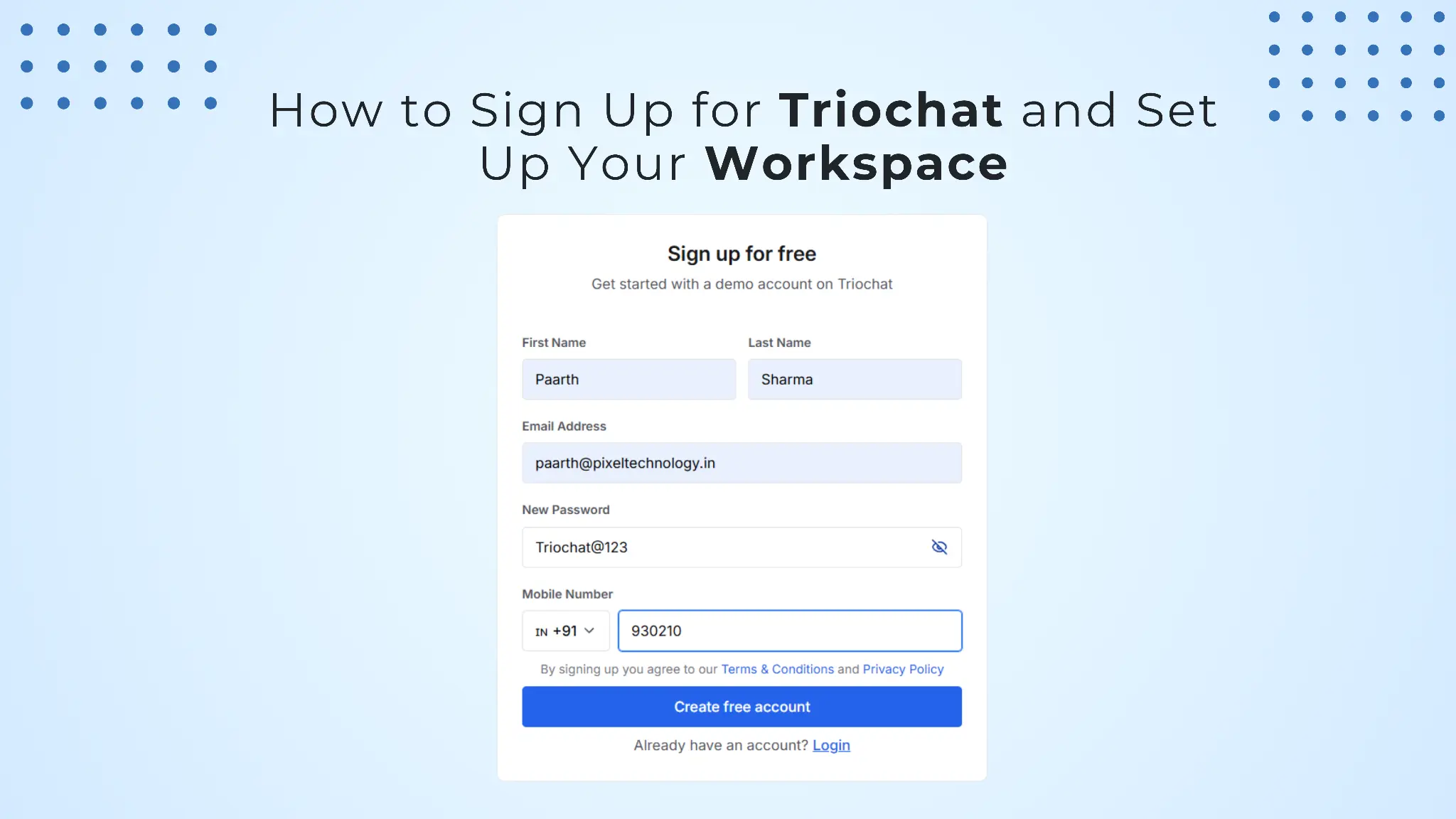
triochat.io provides a unified communication platform that enables businesses to streamline customer conversations, automate engagement workflows, and manage messaging channels efficiently.
Before accessing the platform’s capabilities, new users must complete the initial account registration and workspace configuration process. This onboarding procedure ensures that triochat.io can tailor the platform experience to your organization’s operational requirements.
This guide outlines the entire sign-up process step by step, enabling you to create your account and initialize your workspace successfully.
Step 1: Create Your triochat.io Account
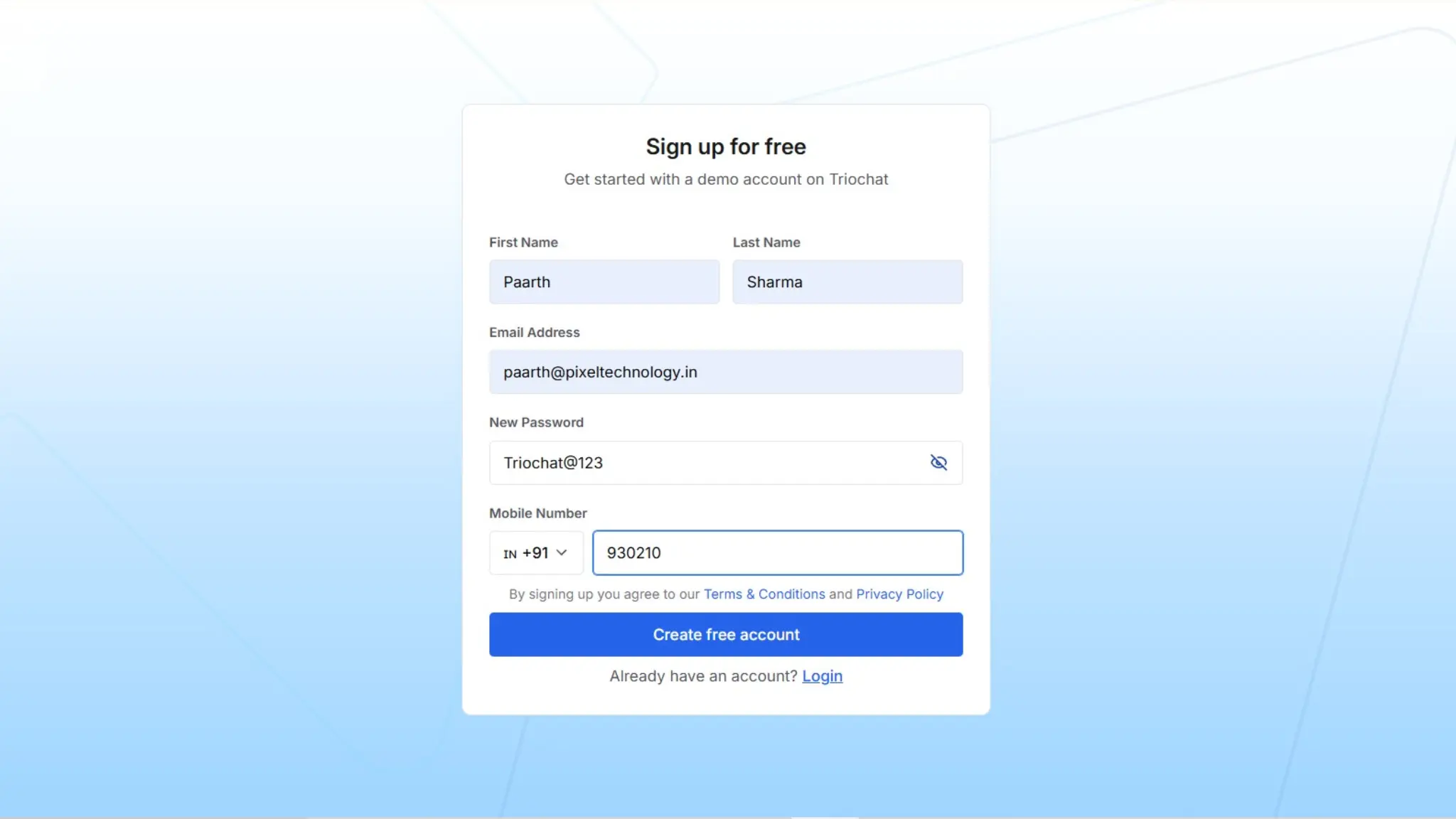
To begin using triochat.io, you must first create a user account.
Navigate to the triochat.io Sign-Up page, where you will be required to provide a set of essential credentials and identification details.
Required Information
First Name and Last Name
Provide your legal or professional name as the account holder.
This information helps identify the primary administrator responsible for managing the workspace.
These details are also used within the platform for team collaboration and internal activity tracking.
Email Address
Enter a valid and active email address that will be associated with your triochat.io account.
Your email address serves several purposes:
- Primary login credential
- Platform notifications and updates
- Account verification and security alerts
Ensure that the email address entered is accurate, as it will become the primary communication channel for account-related correspondence.
Password Creation
Create a secure password to protect your account from unauthorized access.
For optimal security, it is recommended to:
- Use a minimum of eight characters
- Include uppercase and lowercase letters
- nclude numerical characters or special symbols
The password visibility icon can be used to verify the password before submission.
Mobile Number
Provide a valid mobile phone number, including the appropriate country code.
Example:
+91 (India)
Your mobile number may be used for:
- Account verification
- Security authentication
- Communication integrations within the platform
Accept Terms and Policies
Before proceeding, you must review and agree to the following:
- triochat.io Terms & Conditions
- triochat.io Privacy Policy
These policies outline the platform’s usage guidelines and data handling practices.
Create Your Account
After completing the required fields, click Create Free Account.
Once submitted, your account will be created and you will proceed to the business onboarding stage.
Step 2: Tell Us About Your Business
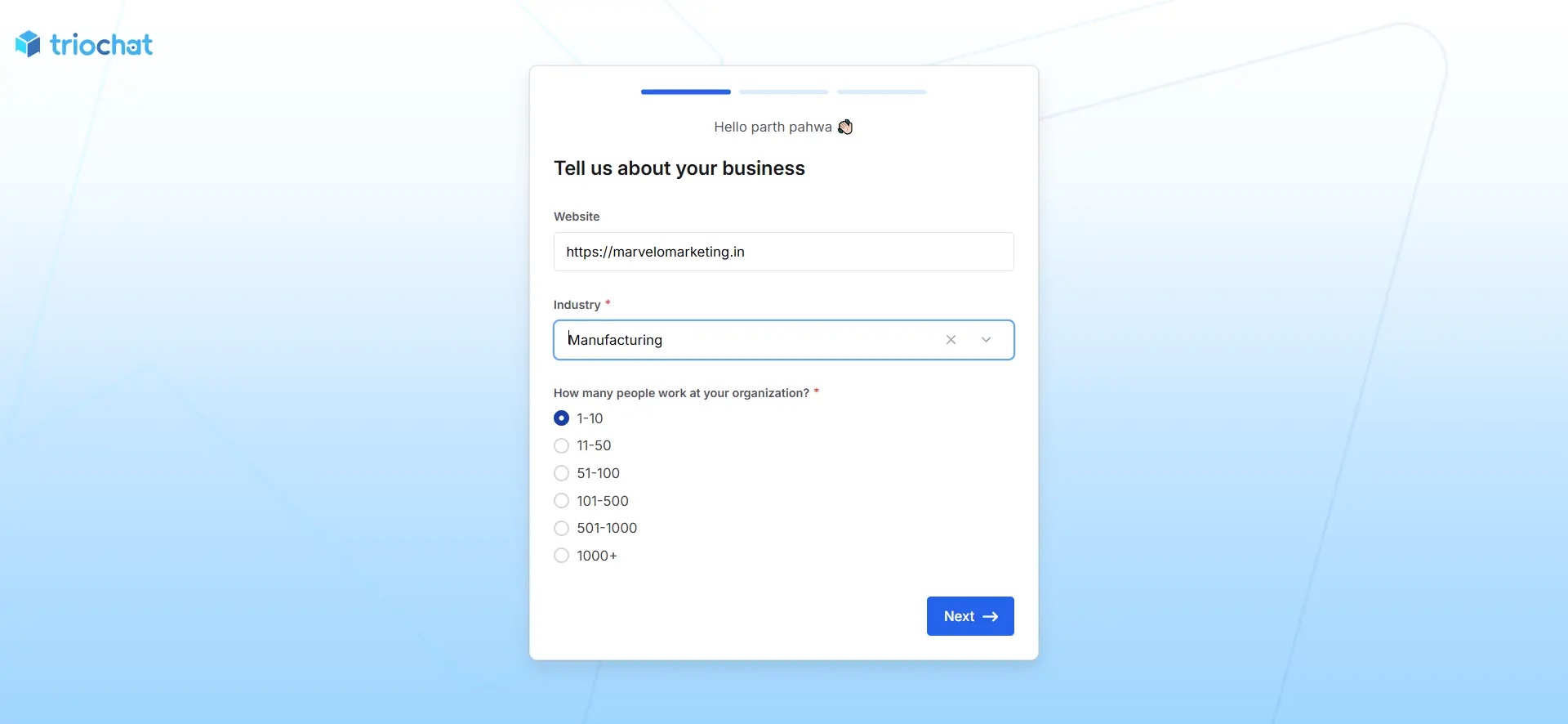
After completing the initial account registration, triochat.io will request basic information about your organization.
This information enables the platform to personalize workflows, communication templates, and onboarding recommendations based on your business profile.
Website URL
Enter your company’s official website URL.
Example
Providing your website helps triochat.io better understand your organization’s industry, products, and services.
Industry Selection
Select the industry that best represents your organization.
Industry selection helps triochat.io:
- Recommend relevant automation templates
- Customize platform workflows
- Improve onboarding recommendations
Examples of industries include:
- E-commerce
- Real Estate
- Travel
- Healthcare
- Saas
- Retail
Organization Size
Indicate the number of employees currently working in your organization.
Available options include:
- 1–10
- 11-50
- 51-100
- 101-500
- 501-1000
- 1000+
This information allows triochat.io to configure platform capabilities according to your team size and expected communication volume.
After completing the form, click Next to proceed.
Step 3: Define Your Use Case
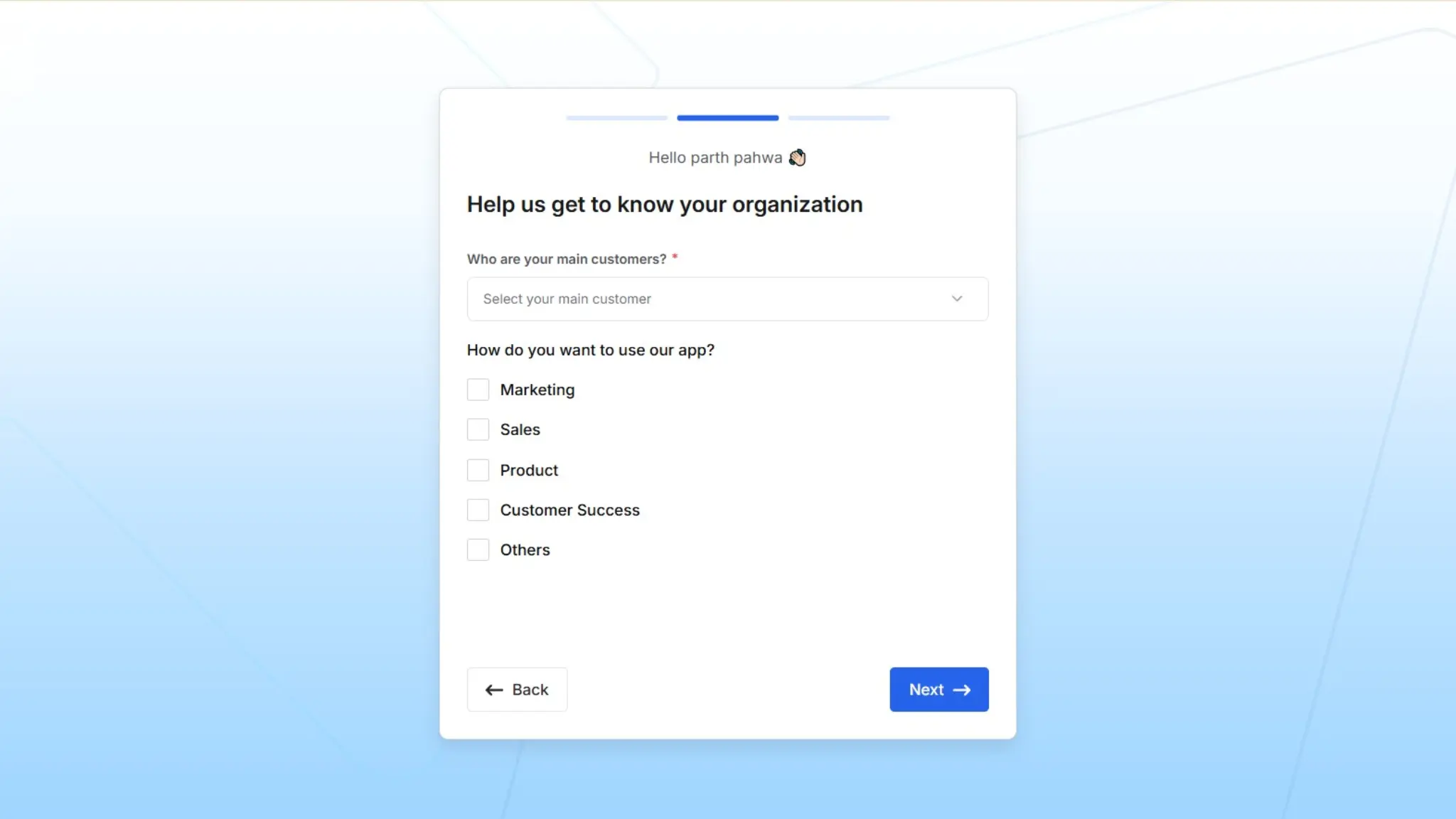
In this step, triochat.io collects information about how your organization intends to utilize the platform.
This enables the system to recommend relevant features and optimize your onboarding experience.
Identify Your Primary Customer Type
Select the category that best represents your primary customers.
Common options include:
- B2B (Business to Business)
- B2C (Business to Consumer)
Understanding your customer type allows triochat.io to configure messaging workflows accordingly.
Select Your Intended Use Cases
You can select one or multiple objectives that align with how your organization plans to use triochat.io.
Marketing
Utilize triochat.io for marketing activities such as:
- Promotional campaigns
- Broadcast messaging
- Lead generation
- Customer engagement automation
Sales
Sales teams can use triochat.io to:
- Handle product inquiries
- Qualify leads
- Manage sales conversations
- Convert prospects into customers
Product
This option supports organizations that wish to:
- Collect product feedback
- Announce new features
- Communicate updates to users
Customer Success
Customer success teams can use triochat.io to:
- Provide real-time customer support
- Resolve user issues
- Improve customer satisfaction through automated assistance
Other
Select this option if your intended use case does not fall into the categories listed above.
Once the selections are complete, click Next.
Step 4: Set Up Your Workspace
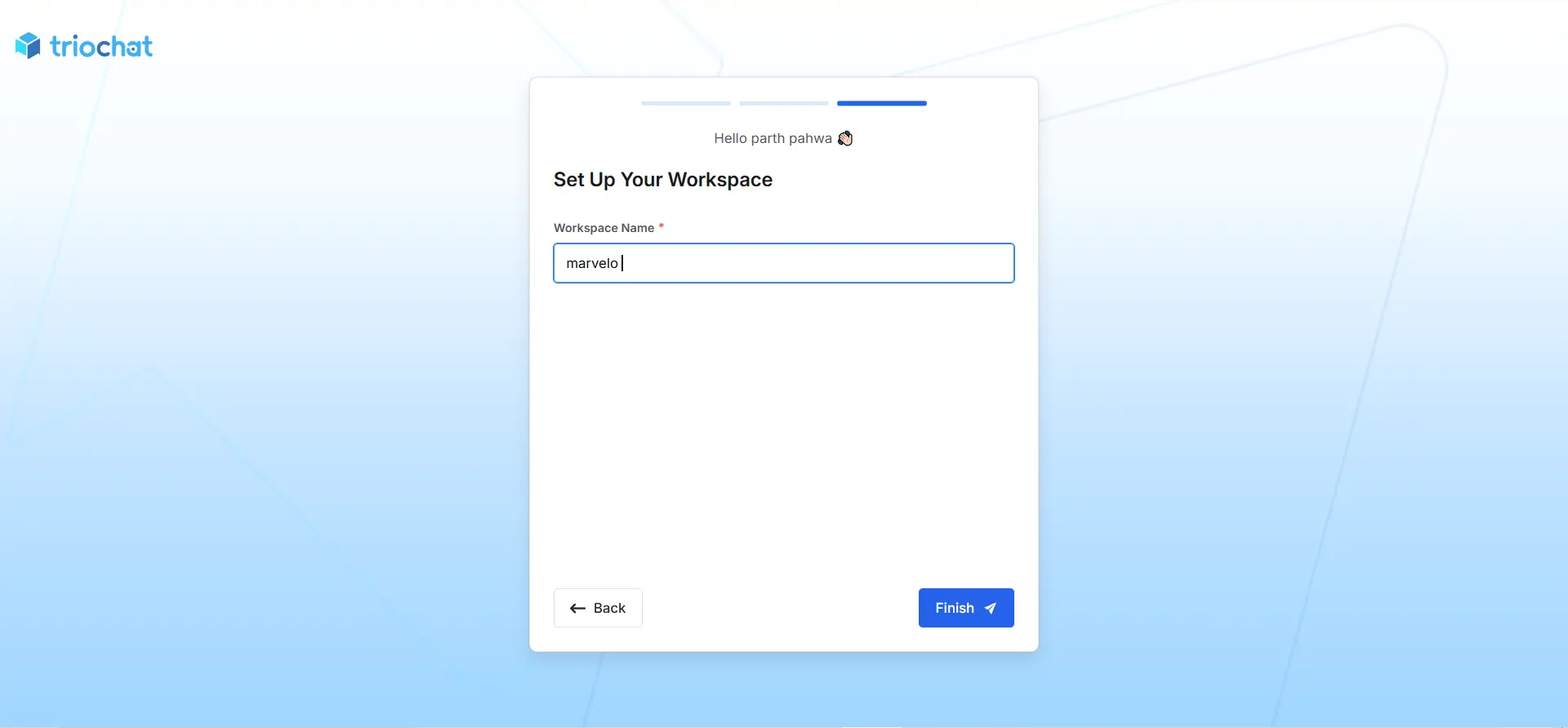
The final step in the onboarding process is creating your triochat.io workspace.
A workspace acts as the central operational environment where your team manages conversations, integrations, and automation workflows.
Workspace Name
Enter a suitable name for your workspace.
This typically represents your organization or department.
Examples include:
- Company Name
- Customer Support Team
- Marketing Operations
A clearly defined workspace name ensures better organization, especially for teams managing multiple projects.
Complete the Setup
Click Finish to finalize the onboarding process.
Your triochat.io workspace will now be successfully created.
You can begin using the platform to:
- Manage customer conversations
- Automate messaging workflows
- Integrate communication channels
- Collaborate with your team members
After Completing Setup
Once the onboarding process is completed, you will be redirected to the triochat.io dashboard.
From the dashboard, you can start configuring integrations, setting up automation, and managing customer interactions across supported messaging channels.
A well-structured onboarding flow ensures that new users quickly understand the platform’s value and begin using it effectively.
You’re Ready to Use triochat.io
Once the setup is complete, you will be redirected to the triochat.io dashboard, where you can begin configuring integrations and managing customer interactions.