
Team Inbox
Learn More

Manage WhatsApp Conversations as a Team

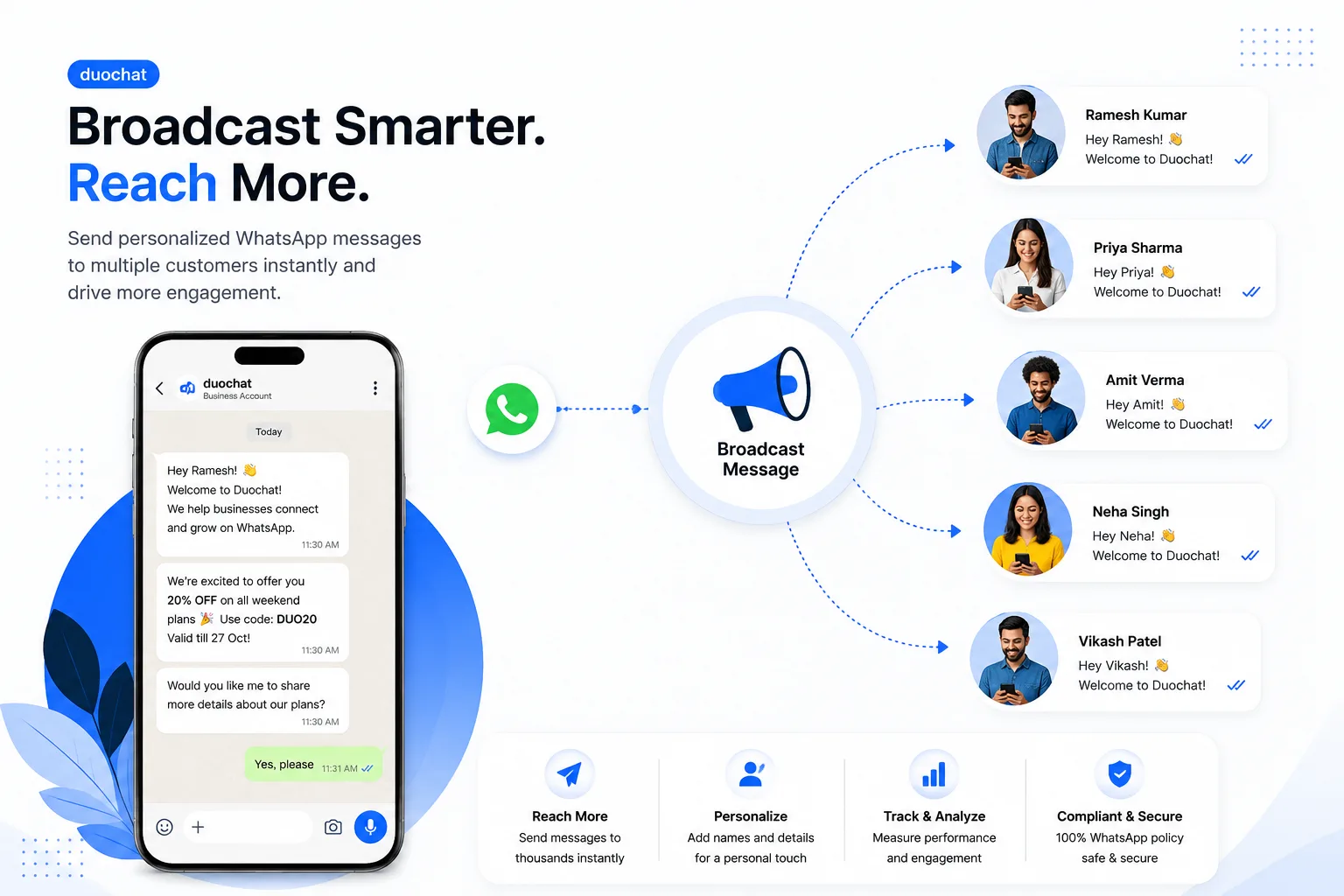
Streamline all WhatsApp conversations in one unified workspace. Collaborate seamlessly, automate responses, and deliver exceptional customer support.
Talk to Sales
Manage WhatsApp Conversations as a Team - duochat.io WhatsApp automation

Trusted by fast-growing
companies around the world

SAS logo
BrandKart logo
eoxigen logo
Cohiba logo
wargtop logo
sileo logo
shramsiddhi logo
ahnv logo
tripfive logo
quantum logo
SAS logo
BrandKart logo
eoxigen logo
Cohiba logo
wargtop logo
sileo logo
shramsiddhi logo
ahnv logo
tripfive logo
quantum logo
SAS logo
BrandKart logo
eoxigen logo
Cohiba logo
wargtop logo
sileo logo
shramsiddhi logo
ahnv logo
tripfive logo
quantum logo
Features

Powerful Team Inbox Features

Streamline collaboration, automate responses, and deliver faster support from one unified workspace.

Unified Inbox

View and manage all WhatsApp chats in one place for seamless communication.

Assign & Collaborate

Assign chats, add notes, and work together effortlessly with your team.

Quick Replies

Save time with templates and canned responses that keep messaging consistent.

Analytics & Reports

Gain insights into team performance and response metrics to improve efficiency.

Integrations

Easily connect CRM, automation, and helpdesk tools to simplify workflows.

Smart Automation

Automate routine tasks and responses to save time and improve team efficiency.

Collaboration

Built for Team Collaboration

Everything your team needs to work together seamlessly and deliver exceptional service.

Chat Assignment

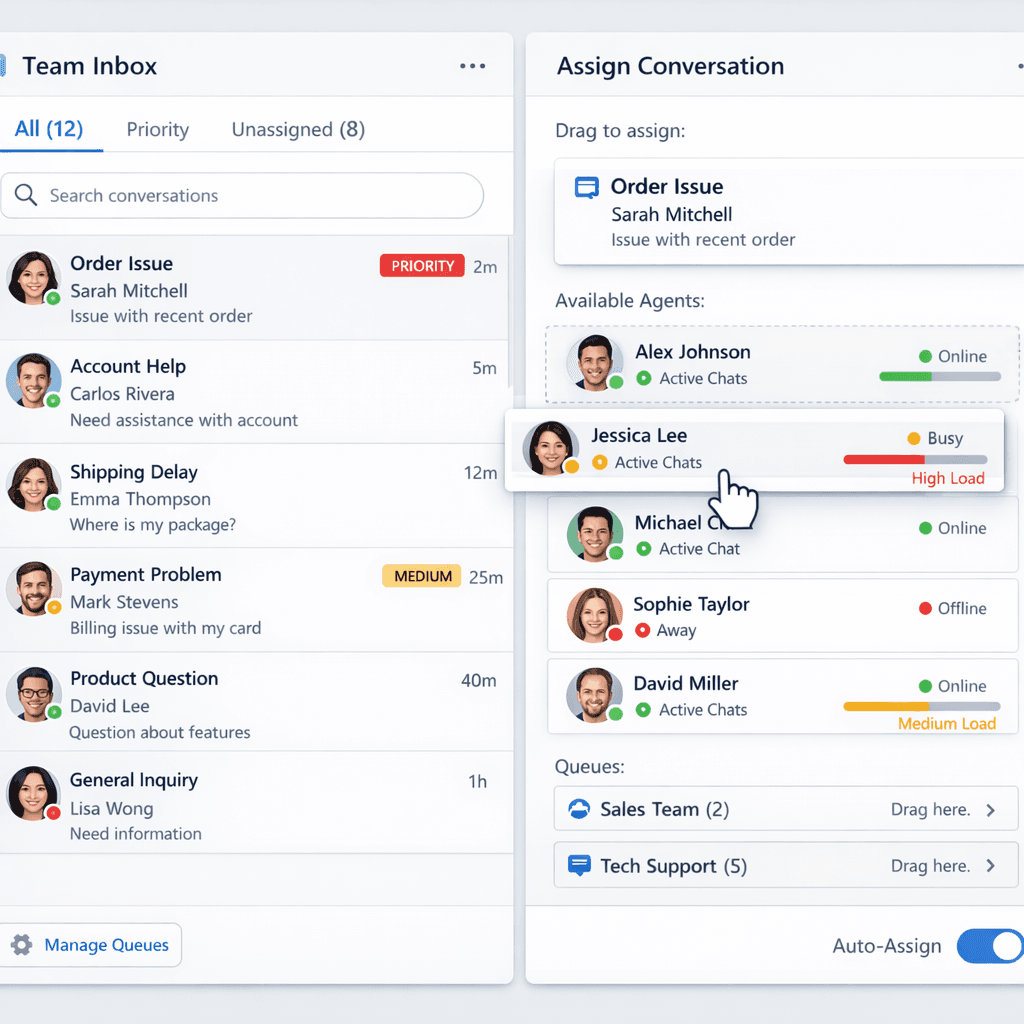
Automatically or manually assign conversations to team members based on availability, expertise, or workload. Ensure every customer gets the right person for their query.

Auto-assign chats based on agent availability

Manual assignment for specific expertise

Load balancing across team members

Priority queue for urgent conversations
Chat Assignment

Why Businesses Choose Team Inbox

Transform WhatsApp into a powerful collaboration hub. Handle messages, automate workflows, and analyze performance.

Manage all WhatsApp conversations in one shared inbox.

Assign chats instantly to team members for faster responses.

Track response time, message history, and customer satisfaction.

Collaborate with internal notes and shared context.

Integrate CRM and automation tools to scale effortlessly.

Get Started with duochat.io

Experience all premium features with unlimited agents and team collaboration.

799

/MONTHLY

Shared inbox for unified conversations

Up to 10 custom fields per workspace

Up to 10 workspace tags

Agent-to-agent transfer + supervisor visibility

See Pricing Plans

No credit card required • 7-day free trial

duochat OS

Manage WhatsApp Conversations as a Team

Streamline all WhatsApp conversations in one unified workspace. Collaborate with your team, automate responses, and deliver faster customer support.

Start Free Trial

duochat's Team Inbox revolutionized our customer support. Response times dropped by 70% and customer satisfaction soared.

Where Every Conversation Creates Opportunity

Frequently Asked Questions
Everything you need to know about Team Inbox with duochat.io
What is a WhatsApp shared inbox?
A WhatsApp shared inbox lets your entire team manage and reply to customer conversations from a single WhatsApp Business number. Multiple agents can view, assign, and respond to chats simultaneously — without message overlap or confusion. duochat.io's shared inbox is built on the WhatsApp Business API and includes smart assignment, automation, and real-time collaboration tools.
How many agents can use the WhatsApp shared inbox at once?
duochat.io supports unlimited concurrent agents on your WhatsApp shared inbox, depending on your plan. Conversations are assigned to specific agents automatically or manually, so no two agents reply to the same customer at the same time.
Can multiple agents reply to customers at once?
Yes. Multiple team members can work simultaneously inside duochat.io's WhatsApp shared inbox. Each conversation is owned by one agent at a time via smart assignment, preventing double replies while keeping all agents in sync.
Do I need WhatsApp Business API access to use a shared inbox?
Yes. A WhatsApp shared inbox requires the WhatsApp Business API — not just the standard WhatsApp Business app, which is limited to one device. duochat.io handles the API setup and onboarding, so you don't need a technical team to get started.
How is duochat.io's shared inbox different from other WhatsApp tools?
Unlike basic WhatsApp tools, duochat.io combines a multi-agent shared inbox with AI-assisted replies, a visual chatbot builder, broadcast campaigns, and in-depth analytics — all in one platform. You get human support and automation together, not separate tools stitched together.

Ready to Transform Your Team Communication?

Start managing WhatsApp conversations as a team. Free trial available.

Supercharge your WhatsApp Business Today

See why duochat.io is the all-in-one WhatsApp platform trusted by modern businesses to convert more leads and engage customers faster.