1. Introduction: Why WhatsApp Backups Matter More Than Ever
WhatsApp has become one of the most important communication tools for modern businesses.
From handling sales inquiries to resolving customer support issues, many businesses now rely heavily on WhatsApp conversations every single day.
But despite its importance, business communication on WhatsApp is often managed in an unstructured way.
- Chats remain stored on personal devices
- Important messages disappear during phone switches
- Deleted conversations cannot always be recovered
- Valuable customer history gets lost without warning
For businesses, this is not just inconvenient — it directly affects operations, customer trust, and revenue.
That is why having a reliable WhatsApp backup strategy is essential.
A proper backup system helps businesses:
- Protect customer conversations
- Recover lost messages
- Maintain operational continuity
- Ensure smooth device transitions
- Prevent accidental data loss
Understanding how WhatsApp backups work is the first step toward building a safer communication process.
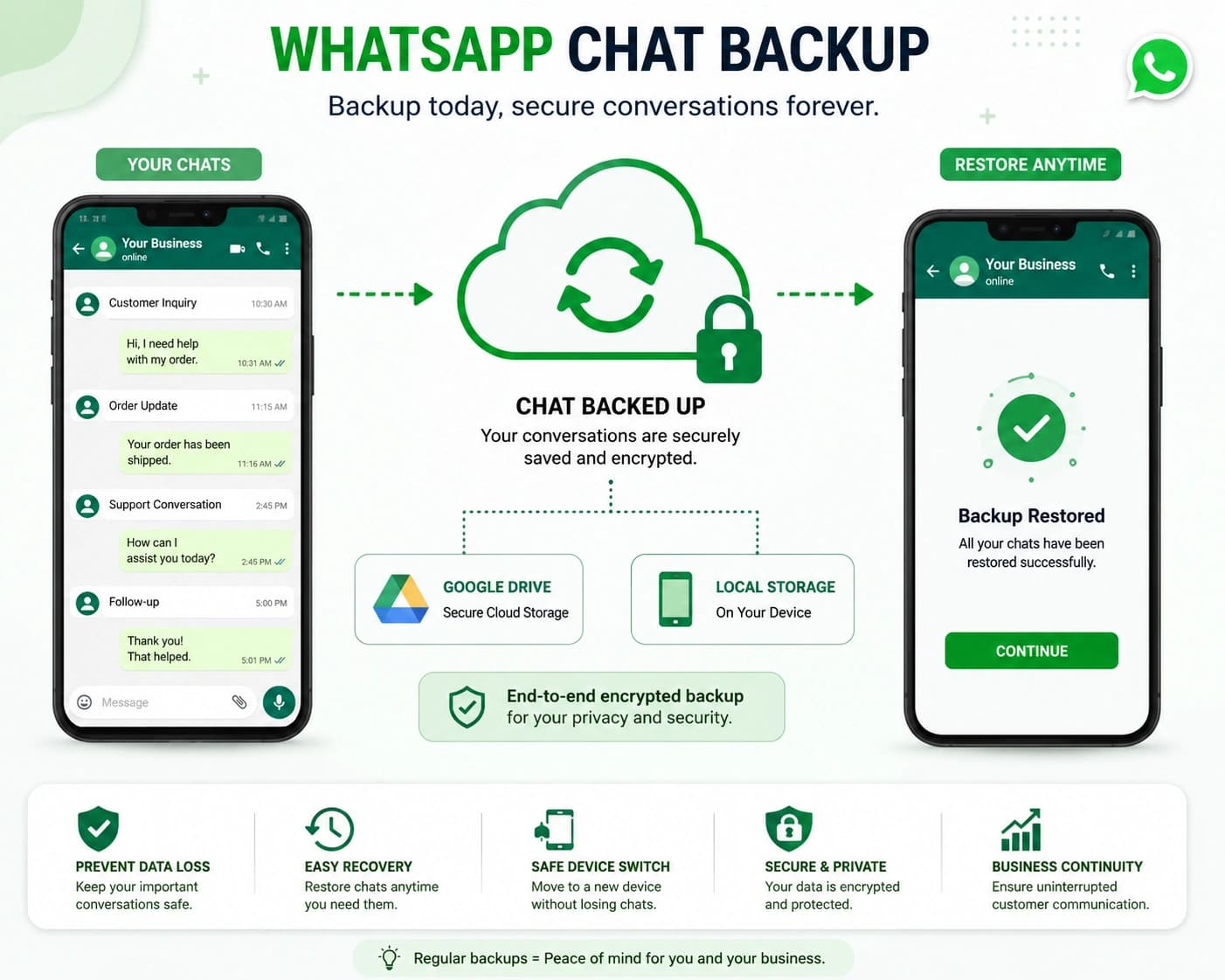
2. Understanding WhatsApp Chat Backups
What Exactly Is a WhatsApp Backup?
A WhatsApp backup is simply a saved copy of your chat history.
This backup may include:
- Messages
- Photos
- Videos
- Voice notes
- Documents
- Media files
Instead of existing only on your phone, this information is stored in cloud storage or external systems so it can be restored later if needed.
If a device is lost, damaged, replaced, or reset, backups allow users to recover conversations instead of starting from scratch.
The backup location depends on the device type:
- Android devices typically use Google Drive
- iPhones use iCloud
- Some businesses also export chats manually to local computers for additional safety
Each method works differently and comes with its own limitations.
3. Setting Up WhatsApp Backup on Android
Using Google Drive for Automatic Backups
Android devices connect WhatsApp backups directly with Google Drive.
The setup process is straightforward and only takes a few minutes.
Step 01 — Open WhatsApp Settings
- Tap the three-dot menu in the top-right corner of WhatsApp
- Open Settings
Step 02 — Navigate to Chats → Chat Backup
- This section controls all backup settings and preferences
Step 03 — Connect Your Google Account
- Choose the Google account where backups will be stored
- For businesses, it is best to use a long-term business-owned account rather than a personal account
Step 04 — Set Backup Frequency
- Daily backups are ideal for businesses handling regular customer communication
- Weekly backups may work for lighter communication volumes
Step 05 — Tap “Back Up Now”
- Run the first manual backup immediately instead of waiting for the automatic schedule
- This ensures the latest conversations are already protected
4. Setting Up WhatsApp Backup on iPhone
Using iCloud for Backup Storage
iPhone users rely on iCloud instead of Google Drive.
The process is similar, but businesses should ensure enough iCloud storage space is available because WhatsApp backups containing media can become large over time.
Step 01 — Open WhatsApp Settings
- Tap the gear icon located at the bottom of the WhatsApp screen
Step 02 — Open Chats → Chat Backup
- This is where iPhone backup settings are managed
Step 03 — Enable Auto Backup
- Choose how frequently backups should occur
- Verify that the correct iCloud account is active
Step 04 — Tap “Back Up Now”
- Run a manual backup immediately
- Confirm the backup appears inside iCloud Drive
5. Why WhatsApp Chat History Matters for Businesses
Customer Conversations Are Operational Assets
For businesses, WhatsApp conversations are more than casual chats.
They often contain critical operational information such as:
- Sales discussions
- Pricing negotiations
- Support tickets
- Appointment confirmations
- Customer complaints
- Service updates
- Follow-up conversations
Losing these conversations creates operational gaps and weakens customer experience.
For example:
- A support agent may lose important issue history
- A salesperson may forget negotiated pricing details
- A customer may need to repeat information multiple times
- A new employee may lack context about previous conversations
This is why businesses increasingly need systems that treat conversations as organized business data rather than temporary mobile chats.
6. The Challenges of Traditional WhatsApp Usage
Why Personal Device Communication Becomes a Problem
Many businesses still manage customer communication through individual employee phones.
This creates several risks:
- Conversations become fragmented across devices
- Data is lost when employees leave
- Messages disappear during phone changes
- Teams lack shared visibility
- Customer handoffs become difficult
- No centralized record exists
Even with regular backups, businesses still face limitations because backups alone do not solve collaboration and workflow challenges.
As communication volume grows, manual chat handling becomes increasingly unreliable.
7. What a Better Business Communication System Looks Like
From Personal Messaging to Structured Communication
Modern businesses are moving toward centralized communication systems instead of depending entirely on personal WhatsApp usage.
A more reliable setup includes:
1. Centralized Conversation Management
- Customer chats exist inside a shared system accessible to the entire team
- This ensures no important context is locked inside one person's phone
2. Multi-Agent Access
- Multiple team members can manage the same WhatsApp number without fragmenting conversations
- This improves collaboration and customer response speed
3. Shared Customer History
- Every team member can view previous interactions
- This makes customer handoffs smooth and consistent
4. Workflow Automation
- Routine confirmations, reminders, and follow-ups can happen automatically instead of relying on manual tracking
5. Reduced Risk of Data Loss
- When conversations are stored in structured systems instead of isolated devices, businesses reduce the chances of losing valuable customer information
8. How duochat Helps Businesses Manage WhatsApp Communication
Turning WhatsApp Into a Team-Based Communication System
Platforms like duochat help businesses transition from informal messaging to organized communication management.
Instead of relying entirely on personal devices, businesses can centralize conversations inside one collaborative workspace.
With duochat, businesses can:
- Centralize customer conversations
- Enable multi-agent collaboration
- Access shared conversation history
- Automate routine communication workflows
- Reduce dependency on individual devices
- Improve operational continuity
- Manage customer communication at scale
This approach transforms WhatsApp from a simple messaging app into a structured communication infrastructure for growing teams.
9. Conclusion: Protecting Customer Conversations Is Protecting Your Business
WhatsApp is now deeply connected to how businesses communicate, sell, and support customers.
But without a proper backup and communication management strategy, businesses risk losing valuable operational data every day.
A strong WhatsApp backup process helps protect conversations during:
- Device changes
- Accidental deletions
- Technical failures
- Employee transitions
- Unexpected disruptions
At the same time, businesses also need systems that go beyond simple backups.
The future of business communication is not just about saving chats.
It is about organizing conversations, enabling collaboration, and building communication systems that scale reliably.
That is where structured platforms like duochat help businesses move from scattered messaging toward centralized, team-based customer communication management.