WhatsApp Business API Templates: Beyond the Approval Process
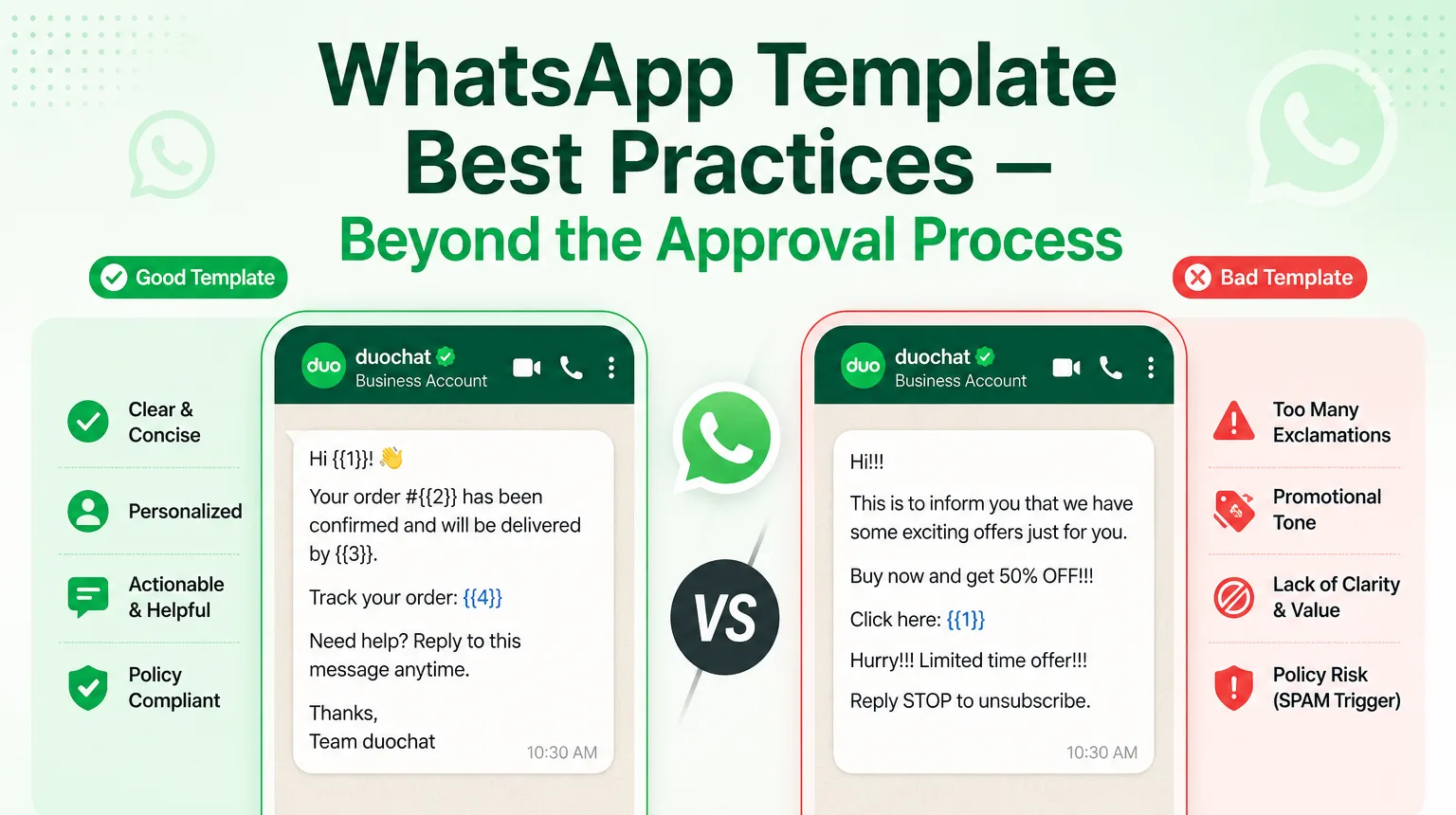
WhatsApp Business API templates are the gateway to proactive customer conversations. While getting initial approval is important, crafting templates that consistently achieve high approval rates, maintain excellent quality ratings, and drive strong engagement is what separates successful businesses from those facing frequent rejections or low response rates.
At duochat, we help businesses scale WhatsApp messaging efficiently. Here’s a practical, battle-tested guide to writing templates that Meta loves to approve and customers love to engage with.
1. Understand the Core Mindset: Value First, Promotion Second
WhatsApp’s policies prioritize user experience. Templates that feel helpful get approved faster and perform better.
Best Practices
- Clearly state the purpose of the message in the first line.
- Identify your business name early.
- Provide genuine value or context for contacting the user (e.g., order update, appointment reminder, support resolution).
- Avoid hype words like "amazing deal," "limited time only," or excessive urgency unless it's a genuine Marketing category template.
Example (Utility):
"Your order #{{1}}has been shipped and will arrive by{{2}}. Track it here:{{3}}— Team duochat"
2. Master the Technical Structure
Small formatting mistakes cause most rejections.
- Template Name: Use only lowercase letters, numbers, and underscores (e.g.,
order_shipped_update). - Variables: Always use
{{1}},{{2}}sequentially. Never put variables at the very beginning or end of a sentence without surrounding text. Avoid adjacent variables. - Language Matching: The selected language must exactly match the content. Don’t mix languages.
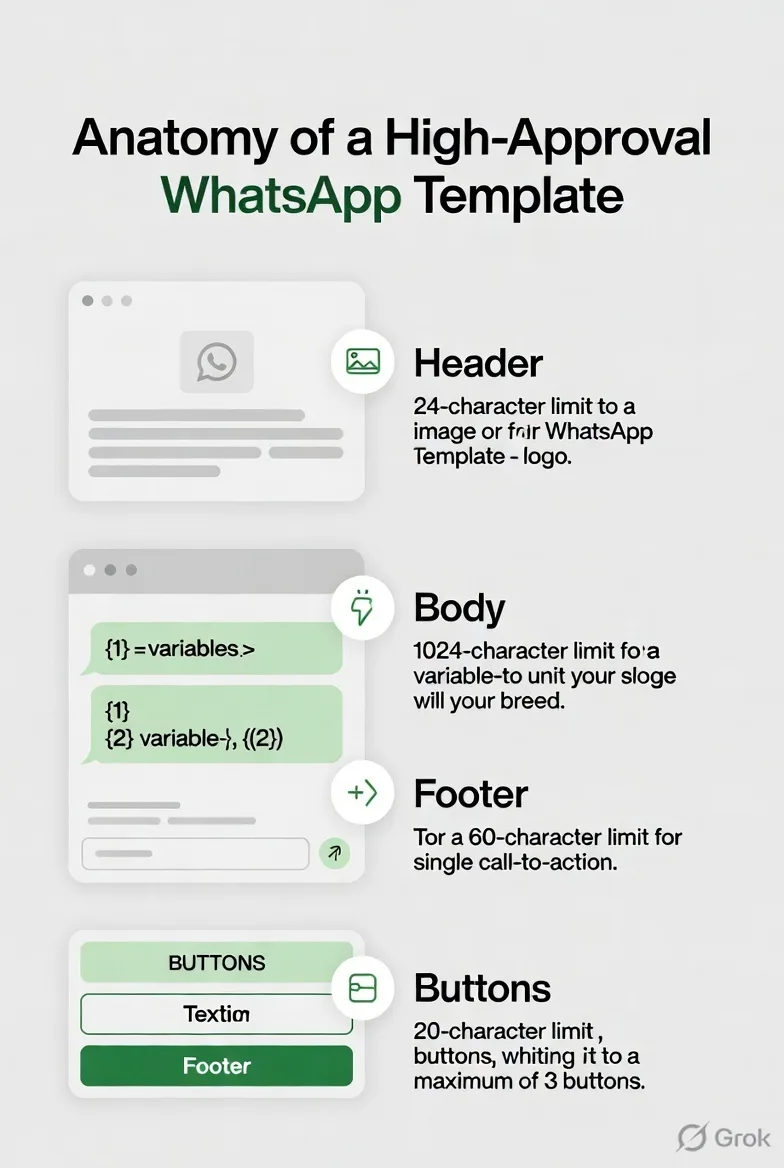
- Length: Keep the body under 1,024 characters. Shorter is usually better.
- Proofreading: No spelling, grammar, or punctuation errors. Meta rejects these strictly.
- URLs: Use full HTTPS links only. No shorteners (bit.ly, etc.).
3. Choose the Right Category Every Time
Mismatching category is a top rejection reason.
| Category | Best Use Cases | Tone Tips |
|---|---|---|
| Utility | Order updates, payments, support | Informational, neutral |
| Marketing | Promotions, offers, re-engagement | Persuasive but transparent |
| Authentication | OTPs, verification codes | Strict, minimal text |
[!TIP] If your message has any promotional element (discounts, offers), it usually belongs in Marketing, even if it includes utility info. Mixing them risks rejection or higher pricing.
4. Leverage Components Effectively
Modern templates support rich elements:
- Header: Text, image, video, or document (great for visual confirmation).
- Body: Main message with variables.
- Footer: Optional small text (e.g., "Reply STOP to unsubscribe").
- Buttons: Call-to-Action (CTA) or Quick Reply buttons dramatically improve engagement.
High-Performing Example (with Buttons):
Header: Image of product
Body: "Hi{{1}}, your order{{2}}is ready for pickup at our{{3}}store."
Buttons: "Get Directions" | "Call Store"
5. Advanced Tips for Higher Approval & Engagement Rates
- Personalization Wins: Use at least 1-2 variables (name, order ID, date) to make messages feel relevant.
- Clarity Over Creativity: Be direct. Vague templates get rejected for looking spammy.
- Test Before Submitting: Many platforms (including duochat) let you preview. Use sample values that represent real use cases.
- Monitor Quality Rating: High block/report rates from users can downgrade your templates. Always segment audiences properly.
- Build a Template Library: Create 5-10 core templates first (order confirmation, shipping, abandoned cart, support, feedback). Refine based on performance.
- Emojis: Use sparingly (under 10 per template) and only when they add clarity.
6. Common Rejection Reasons & Quick Fixes
- Promotional in Utility: Move to Marketing category.
- Variable Errors: Fix formatting and sequencing.
- Unclear Purpose: Add context like “regarding your recent order.”
- Policy Violations: Avoid asking for sensitive data (passwords, OTPs outside Authentication), prohibited products, or political content.
- Duplicate-like Content: Make each template unique.
Real-World High-Performance Templates
Abandoned Cart (Marketing)
"Hi
{{1}}, we noticed you left some great items in your cart! Complete your purchase before{{2}}and get{{3}}off. Shop now:{{4}}— duochat Store"
Delivery Update (Utility)
"Your package
{{1}}has been delivered. Did you receive it? Reply YES or tap below for support. —{{2}}Logistics"
Final Checklist Before Submitting
- Clear business identification
- Proper category
- Correct variable format
- No grammar/spelling issues
- Full HTTPS links only
- Value-driven tone
- Sample values provided
- Matches WhatsApp Business Policy
Scale Confidently with duochat
Writing great templates is just the start. With duochat's WhatsApp Business API solution, you get:
- Pre-approved templates
- Easy template management and bulk approval
- AI-powered suggestions for better copy
- Seamless integration with chatbots and flows
High-approval templates lead to better deliverability, stronger customer relationships, and higher ROI on WhatsApp.
Ready to elevate your WhatsApp communication?
Visit duochat today and schedule a free consultation.

