
WhatsApp Payment Collection: Complete Guide & Templates
WhatsApp Payment Collection with duochat lets you collect payments and send invoices via WhatsApp — automatically, at scale, and with a personal touch. The WhatsApp Business API enables businesses to send rich, interactive messages that trigger at the right moment in the customer journey. This guide covers how to set up WhatsApp Payment Collection from scratch, which templates to use, real workflow examples, and how to measure results.
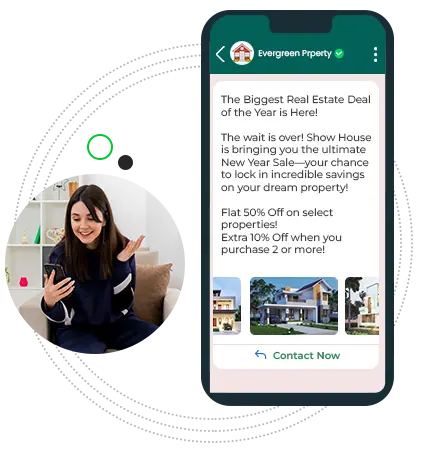
Why WhatsApp?
The most effective platform for engagement and conversions.
98%
Open Rate
5x more than Emails & SMS
35%
Click Rate
7x more than Emails & SMS
60%
Response Rate
6x more than Emails & SMS
2 Bn+
Users
Monthly Active Users
Additional Features
Explore these additional features designed to enhance your experience
Why Use WhatsApp for Payment Collection
WhatsApp has a 98% open rate — far higher than email (20%) or SMS (45%). For Payment Collection, this means your messages are actually seen and acted on. Businesses using WhatsApp for Payment Collection report significantly higher conversion rates compared to other channels. With the WhatsApp Business API via duochat.io, you get: Verified sender identity (green tick or display name), Delivery receipts and read receipts, Two-way conversational replies, Rich media support (images, documents, buttons, lists), Template pre-approval for proactive outreach, and Broadcast to thousands of opted-in contacts at once.
How to Set Up WhatsApp Payment Collection with duochat.io
Setting up WhatsApp Payment Collection in duochat.io takes minutes: 1) Connect your WhatsApp Business number in Settings > WhatsApp. 2) Import or sync your contact list from CRM, Google Sheets, or CSV. 3) Select or create a WhatsApp template from our library — templates for Payment Collection are available for all major industries. 4) Build an automation workflow: choose your trigger (e.g., new contact, form submission, Shopify event), set conditions, and configure the message. 5) Test with a sample contact before going live. 6) Monitor delivery and response rates in the Analytics dashboard. The entire process can be completed without any coding.
Message Templates for Payment Collection
duochat.io provides a library of pre-built WhatsApp templates specifically for Payment Collection. Templates follow WhatsApp's approval guidelines and are ready to submit. Key template types for Payment Collection: Text messages for simple notifications and updates, Button templates for quick replies and CTAs, List messages for menus or multi-option replies, Media templates (image/video/document) for rich content. All templates use dynamic variables ({{1}}, {{2}}) for personalization. Browse the template library to find Payment Collection templates by industry — Healthcare, E-commerce, Education, Finance, Travel, and more.
Automation Workflows for Payment Collection
duochat.io's no-code automation builder lets you create sophisticated Payment Collection workflows: Trigger-based sends — fire messages when a specific event occurs in your CRM, website, or app. Time-based sequences — schedule follow-up messages at defined intervals. Conditional branching — send different messages based on contact attributes or actions. Chatbot integration — hand off from automated messages to a chatbot for interactive flows, then escalate to a human agent if needed. All workflows are visual and require no engineering. Connect to external tools via Zapier, webhooks, or our REST API.
Measuring Payment Collection Performance
duochat.io's Analytics dashboard gives you full visibility into your Payment Collection results: Delivery rate — percentage of messages successfully delivered to the device. Read rate — percentage opened (WhatsApp provides read receipts). Reply rate — how many recipients responded. Click rate — for link or CTA button clicks. Conversion tracking — connect to your CRM or analytics tool to track downstream outcomes. Use these metrics to A/B test templates, optimize send times, and improve your overall Payment Collection ROI. Set up automated reports to receive weekly digests in your inbox.
Features of Template Library
Simple, efficient template browsing and management.
Organized Content
Browse and filter curated template sets effortlessly, organized for your workflow and team efficiency.
Up-to-Date Resources
Stay ahead with constantly updated templates maintained by experts for real-time insights.
Developer Friendly
Designed for speed, clarity, and ease of navigation—providing a seamless experience developers love.
Explore More
Discover related guides and resources to get the most out of duochat.io
Related Pages
More content you might find useful
Start automating WhatsApp Payment Collection with duochat — 7-day free trial, full access from day one.
Start sending WhatsApp messages with duochat.io
Get started today
Supercharge your Business Across Every Channel
See why duochat is the all-in-one omni-channel CRM trusted by modern businesses to unify conversations, convert more leads, and engage customers faster.