How to Send a WhatsApp Broadcast — Complete Guide 2026
Want to message thousands of customers on WhatsApp at once? WhatsApp broadcast is the feature that lets you do it — without sending messages one by one.
In this guide you'll learn:
- What WhatsApp broadcast is and how it works
- How to send a broadcast on WhatsApp Business App (free, limited)
- How to send unlimited broadcasts via WhatsApp Business API
- How to do it safely without getting banned
What Is a WhatsApp Broadcast?
A WhatsApp broadcast lets you send one message to multiple contacts simultaneously, where each recipient receives it as a personal one-on-one message — not a group chat.
Example: Your clothing store wants to send a Diwali sale message to 5,000 customers. A broadcast does that in seconds.
Broadcast vs Group
| Feature | Broadcast | Group |
|---|---|---|
| Recipients see each other? | No | Yes |
| Feels personal? | Yes | No |
| Replies go to? | Only you | Everyone |
| Best for marketing? | ✅ | ❌ |
Method 1: WhatsApp Business App Broadcast (Free, Limited)
The WhatsApp Business App has a built-in broadcast feature — free, but with significant limitations.
Step 1: Open WhatsApp Business App
Open the WhatsApp Business App on your phone (this is separate from the regular WhatsApp app).
Step 2: Create a New Broadcast
- Tap ⋮ (three dots) in the top right
- Select "New broadcast"
- Select the contacts you want to add (max 256)
- Tap the green checkmark
Step 3: Type and Send
Write your message — text, image, video, or PDF — and send. Each contact receives it as an individual message.
Key Limitations:
- Maximum 256 contacts per broadcast list
- Only contacts who have saved your number will receive it
- No scheduling — send now only
- No delivery or read analytics
- No approved templates required — but also no compliance protection
Method 2: WhatsApp Business API Broadcast (Unlimited, Professional)
If your business is growing and you need to reach 1,000+ contacts, the WhatsApp Business API is the right path.
Why API Broadcasts Are Better:
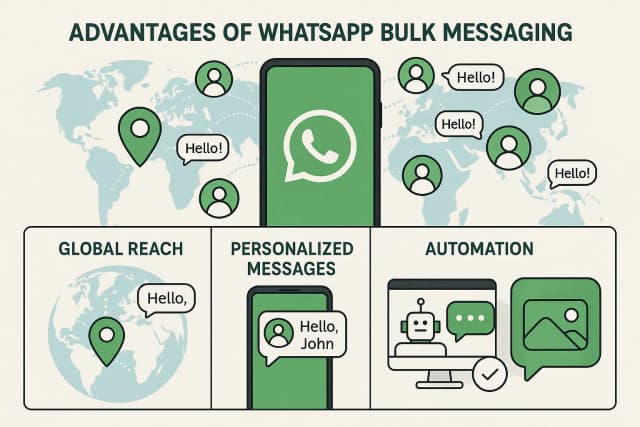
- No contact limit — reach millions of opted-in contacts
- Scheduling — send at the optimal time
- Analytics — delivery rate, read rate, click rate, opt-outs
- Segmentation — target specific audiences by city, purchase history, tags
- Compliance — only opted-in contacts, approved templates = account stays safe
How to Send a Broadcast on duochat (Step-by-Step)
Step 1: Create your account
Sign up for duochat — 7-day free trial, Secure credit card required for trial activation.
Step 2: Connect your WhatsApp number
Go to Dashboard → Settings → WhatsApp Channel → connect your WhatsApp Business number. duochat's team assists with the setup.
Step 3: Upload your contact list
Export contacts as CSV (from Excel, Google Sheets, or your CRM) and import into duochat. Add name, phone, and custom fields (city, plan type, purchase history, etc.).
Step 4: Get your message template approved
WhatsApp Business API requires a Meta-approved template for broadcast messages. Create one in duochat, submit for review — approval typically takes 10 minutes to 2 hours.
Template example (for a sale):
Hello {{1}},

🎉 Our {{2}} Sale is live!

Shop now: {{3}}

Reply STOP to opt out.
Step 5: Create and schedule your broadcast
- Dashboard → Broadcasts → New Campaign
- Choose your contact segment
- Select your approved template
- Schedule or send immediately
- Launch
Step 6: Check your results
After sending, review analytics:
- How many were delivered
- How many were read
- How many replied
- How many opted out
How to Avoid Getting Banned When Broadcasting
WhatsApp bans are serious — recovering a banned number is difficult. Follow these rules:
✅ Do this:
- Only message opted-in contacts — the single most important rule
- Use approved templates — never send freeform outbound broadcast messages
- Use the official WhatsApp Business API — unofficial bulk tools = ban risk
- Include opt-out instructions — "Reply STOP" or equivalent
- Limit frequency — don't message the same contact multiple times per day
❌ Don't do this:
- Cold broadcast to unknown numbers
- Use unofficial "WhatsApp bulk sender" apps
- Send the same message repeatedly in quick succession
- Send without a template on the API
Best WhatsApp Broadcast Tools — Comparison
| Tool | Limit | Scheduling | Analytics | Starting Price |
|---|---|---|---|---|
| duochat | Unlimited | ✅ | ✅ Full | $145/year |
| WhatsApp Business App | 256 contacts | ❌ | ❌ | Free |
| Wati | Unlimited | ✅ | Basic | ~$99/mo |
| AiSensy | Unlimited | ✅ | Basic | Free + per-message |
duochat's advantage: beyond broadcasts, you get AI calling to follow up contacts who don't reply, an AI agent chatbot to handle responses automatically, and a built-in Instagram Ads Manager — all from one dashboard.
WhatsApp Broadcast Best Practices
1. Send at the right time
Morning 9–11am and evening 6–8pm perform best in India. Tuesday through Thursday typically see the highest open rates.
2. Personalize every message
Hello {{customer_name}},
Your last order was {{product_name}}...
Personalized messages get significantly more replies than generic blasts.
3. One clear CTA per message
Say one thing: "Shop now" or "Claim discount" — not both. One action = higher conversion.
4. Test with a small batch first
Send to 50–100 contacts first. Check response rates and opt-outs, then roll out to the full list.
5. Track and clean your opt-out list
Remove opt-outs from future broadcasts. It's both a WhatsApp policy requirement and good practice for maintaining account health.
Conclusion
WhatsApp broadcast is a powerful tool — done right, it drives sales, improves engagement, and keeps customers informed.
- Small business (up to 256 contacts): WhatsApp Business App broadcast works fine — free
- Growing business (1,000+ contacts): You need WhatsApp Business API — duochat is the fastest way to get started
Start duochat's free trial — see your first broadcast campaign live within hours.
Or book a demo first — the team will walk you through the full setup.