What Is WhatsApp Business API — Complete Guide 2026
You've probably heard the term "WhatsApp Business API" — but what exactly is it? How is it different from regular WhatsApp? And why does your business need it?
This guide explains everything clearly — without the technical jargon.
First, Understand: There Are Three Separate WhatsApp Products
Many people confuse WhatsApp Business API with the WhatsApp Business App. These are three distinct things:
| Product | Who It's For | Cost | Limitation |
|---|---|---|---|
| WhatsApp (personal) | Personal use | Free | Not for business use |
| WhatsApp Business App | Small businesses | Free | 1 phone, 256 broadcast limit |
| WhatsApp Business API | Growing/large businesses | Paid | No limits |
What Is WhatsApp Business API?
WhatsApp Business API is an official connection that Meta provides — between your business software and WhatsApp.
In simple terms:
- Regular WhatsApp and the WhatsApp Business App run on a phone
- The API runs on a server — connected directly to your software
This means you can:
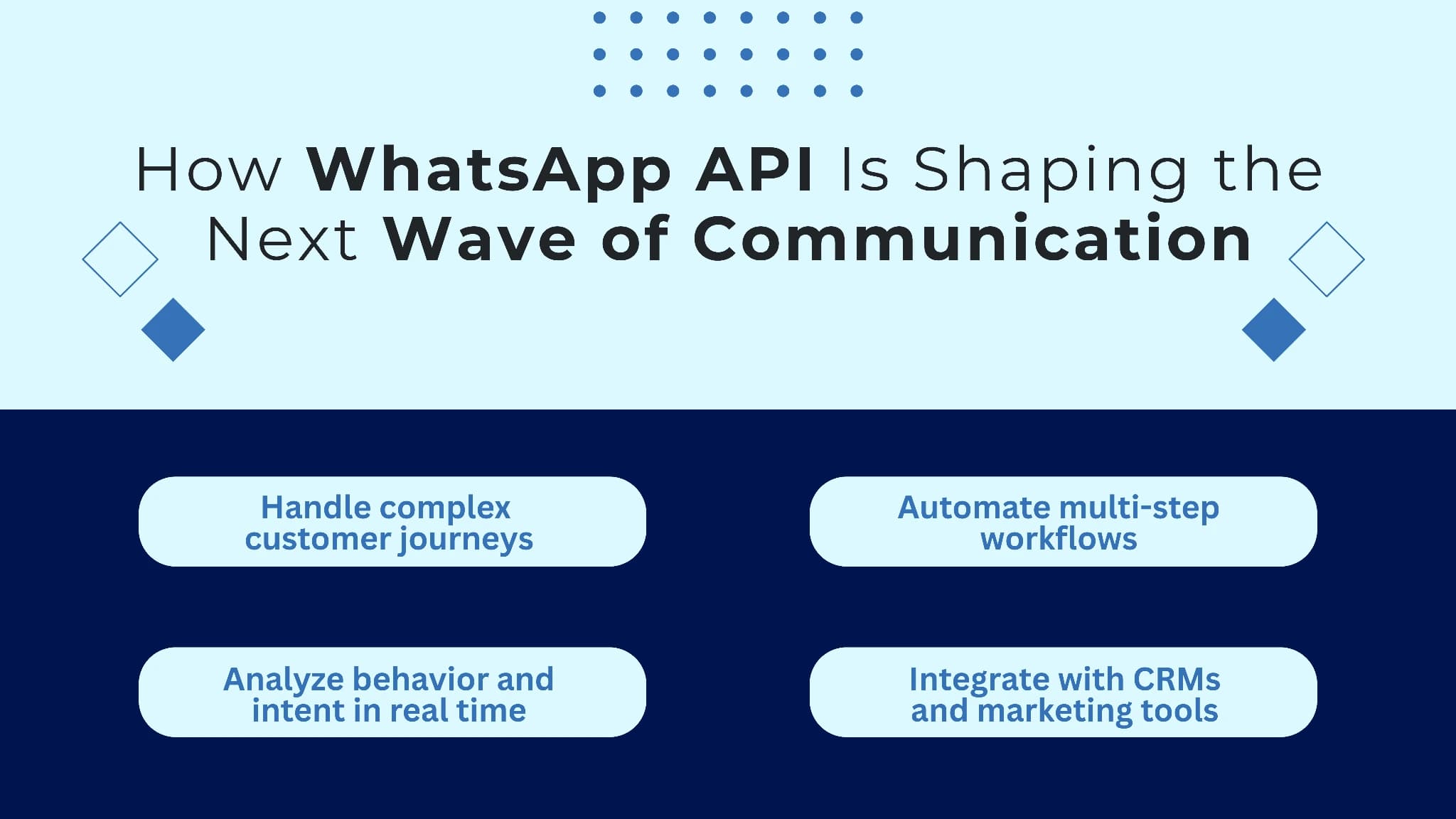
- Set up a chatbot that replies automatically
- Connect your CRM (like Zoho or Salesforce)
- Broadcast to 1,000 or 10,000 contacts at once
- Have multiple agents work from a single WhatsApp number
- Integrate AI calling (like in duochat)
WhatsApp Business App vs API — Detailed Comparison
WhatsApp Business App (Free)
What you can do:
- Set up a business profile (address, hours, website)
- Configure quick replies (for common questions)
- Add labels (leads, paid customer, etc.)
- Broadcast to up to 256 contacts
- Basic automation (away message, greeting message)
Limitations:
- Only one phone, one agent
- Cannot broadcast beyond 256 contacts
- No real chatbot — only keyword-triggered replies
- No CRM integration
- No scheduling
- No analytics
WhatsApp Business API
What you can do:
- Unlimited broadcasts — reach lakhs of contacts at once
- Multiple agents — your entire team works from one number
- AI chatbot — understands natural language, replies automatically
- CRM sync — connect with Zoho, Shopify, HubSpot
- Scheduling — decide exactly when messages are sent
- Analytics — track delivery rate, read rate, conversions
- AI calling (in duochat) — automate voice calls too
- Instagram integration — manage WhatsApp and Instagram from one dashboard
Limitations:
- Has a cost (BSP subscription + Meta conversation charges)
- Setup requires some technical steps — you need a BSP's help
How Does WhatsApp Business API Work?
Here's a step-by-step breakdown:
Customer → Sends a WhatsApp message
         ↓
Meta's servers receive it
         ↓
API forwards it to your BSP platform (e.g., duochat)
         ↓
duochat shows it to a chatbot or agent
         ↓
Reply goes from the platform → Delivered to the customer
You don't deal with Meta directly — your BSP handles all of this.
What Is a BSP?
BSP = Business Solution Provider — a Meta-authorised partner that gives you API access.
You can no longer get API access directly from Meta (that option was available earlier, not anymore). You need to choose a BSP.
Popular BSPs in India:
- duochat — with AI calling + Instagram + native Shopify/Zoho integration
- Wati — global platform with broader integrations
- AiSensy — India-focused, free plan available
- Interakt — Shopify-first for e-commerce
The advantage of duochat is that it doesn't just give you WhatsApp API — you also get AI calling, Instagram DM management, and a built-in Ads Manager, all within the same platform.
WhatsApp Business API Use Cases
1. Automate Customer Support
Let a chatbot handle common questions — "Where is my order?", "What is your return policy?", "What are your business hours?" — without any agent involvement.
2. Bulk Broadcast Campaigns
Festival sales, new product launches, payment reminders — reach lakhs of opted-in customers in one go.
3. Lead Generation
Run Click-to-WhatsApp ads — a customer clicks the ad, a WhatsApp chat opens instantly, and your chatbot qualifies the lead automatically.
4. Order Notifications (E-commerce)
Connect Shopify or WooCommerce — order confirmed, shipped, delivered — all sent automatically on WhatsApp.
5. Appointment Reminders
Healthcare, salons, coaching — send appointment confirmations and reminders automatically. No-show rates drop significantly.
6. AI Voice Calling
duochat has a unique feature — AI calling. Contacts who don't reply to WhatsApp messages can automatically receive an AI voice call for follow-up.
WhatsApp Business API Pricing — What Does It Cost?
There are two types of charges:
1. BSP Platform Fee
duochat Starter: $145/year (Includes unlimited agents, broadcasts, and chatbot)
2. Meta Conversation Charges
Meta charges per WhatsApp message:
| Message Type | India Rate (per message) |
|---|---|
| Marketing (promotions, broadcasts) | ₹0.8631 |
| Utility (order updates, shipping) | ₹0.1150 |
| Authentication (OTP, verification) | ₹0.1150 |
| Service (customer-initiated) | Free |
Note: From April 1, 2026, Meta switched from per-conversation to per-message pricing. Now each individual message is charged separately — previously, one 24-hour conversation window had a single charge.
How to Get Started
Step 1: Choose a BSP
We recommend duochat — setup is straightforward and it's optimised for Indian businesses.
Step 2: Decide on a Phone Number
- You can use a new number
- Or migrate your existing WhatsApp Business number
- Important: The number used with the API cannot be active on the regular WhatsApp app simultaneously
Step 3: Meta Business Verification
You need to verify your business on Facebook Business Manager. duochat's team guides you through this process.
Step 4: Get Your Display Name Approved
Your business name shown on WhatsApp needs Meta's approval — typically takes 1–3 days.
Step 5: Go Live
Your API is ready. Build your chatbot, run broadcasts, and set up your team inbox.
Start your free trial on duochat — full setup is done within 7 days.
Conclusion
WhatsApp Business API is an essential tool for growing businesses — if you:
- Handle 50+ messages daily
- Need multiple agents on a single number
- Want automation and a chatbot
- Need large-scale broadcasting
The regular WhatsApp Business App simply isn't built for these requirements — that's exactly what the API is for.
And if you want not just WhatsApp, but Instagram + AI calling from a single platform — try duochat.
Book a Demo — everything will be clear within 30 minutes.