Contact Settings
Contact Settings
Setup your Contact Statuses, Fields, Assignment and other Basic Configurations about your Contacts to match your processes.
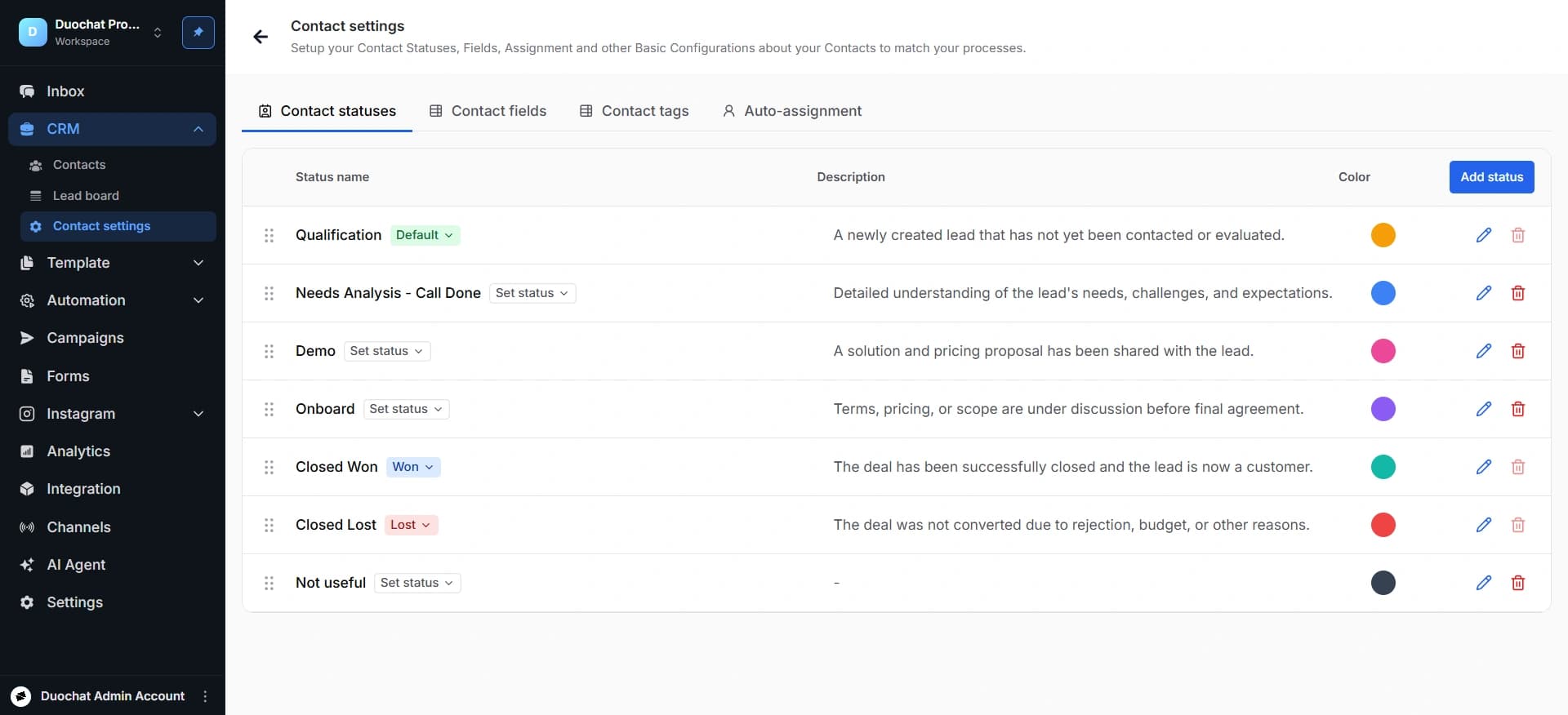
Contact Statuses
This tab is used to create and manage the different stages of your lead lifecycle.
Each status represents the current position of a contact in the sales or communication process.
Add a stage name and give the color, set the stage as default and define the flow.
Contact Fields
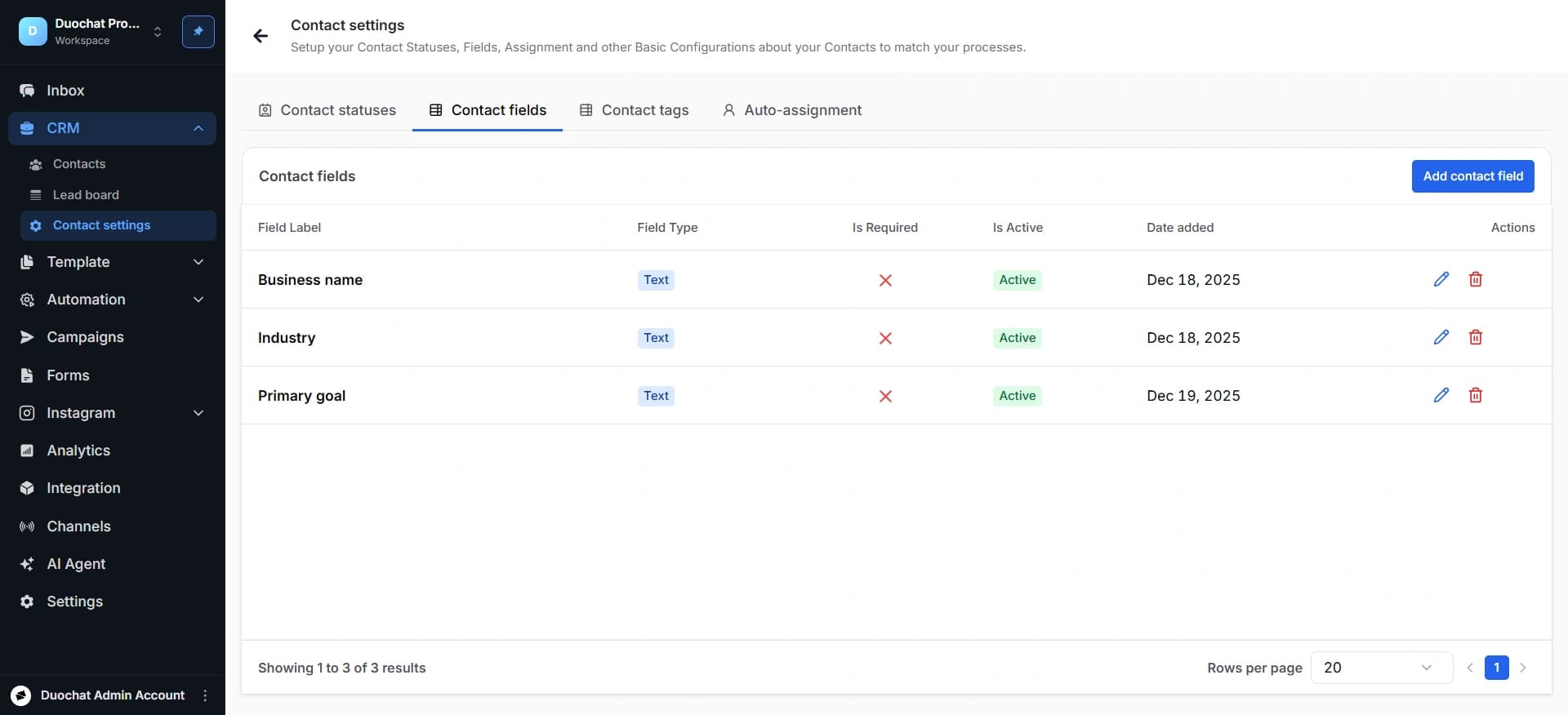
The Contact Fields section allows businesses to create and manage custom information fields for contacts. These fields help capture additional customer details beyond standard contact information, enabling better lead qualification, segmentation, and personalization.
You can add, edit and delete the contact fields. While adding the fields, add basic information, field type and field is optional or not.
Contact Tags
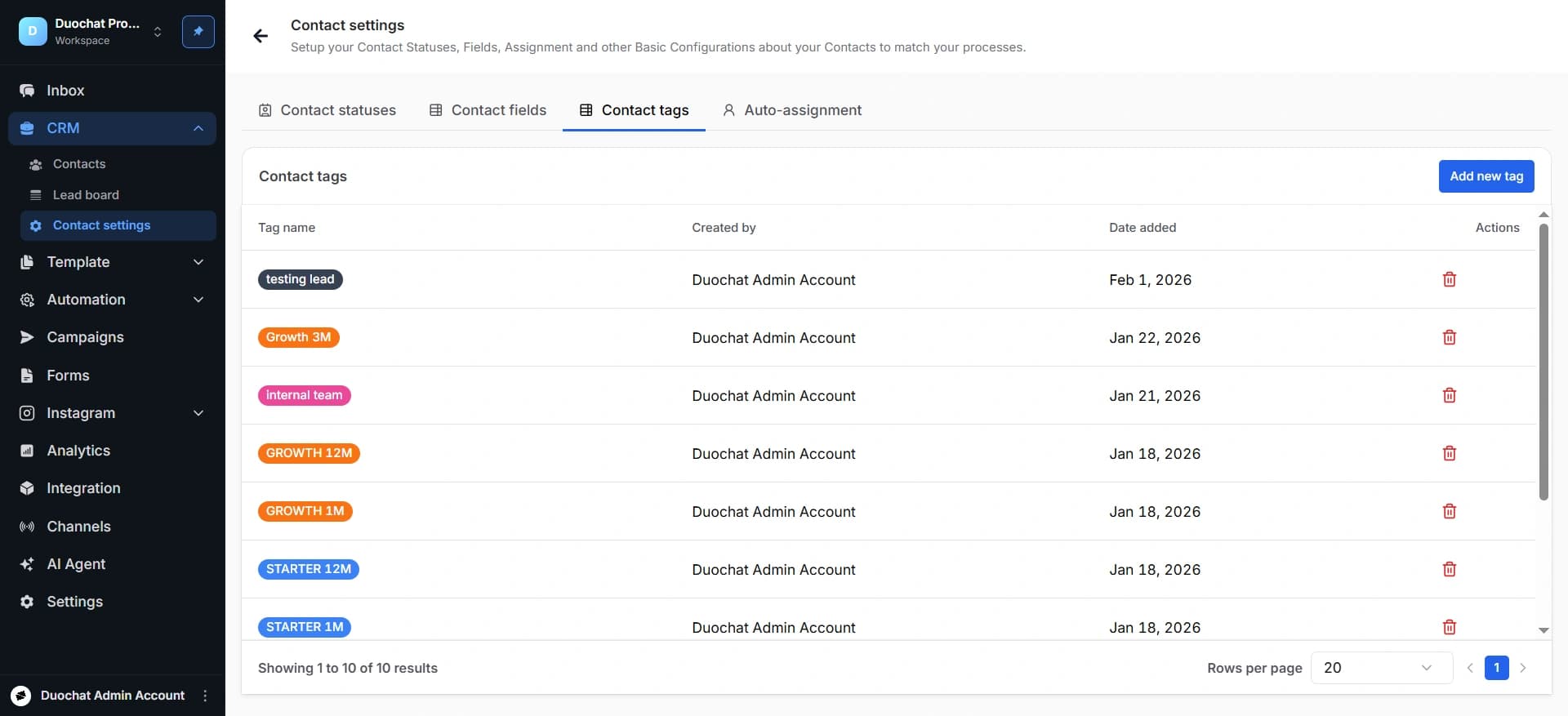
Tags help categorize contacts for easier filtering and segmentation.
Examples:
● Hot Lead
● Follow-Up Required
● Premium Customer
● Trial User
Tags improve search, campaign targeting, and contact organization.
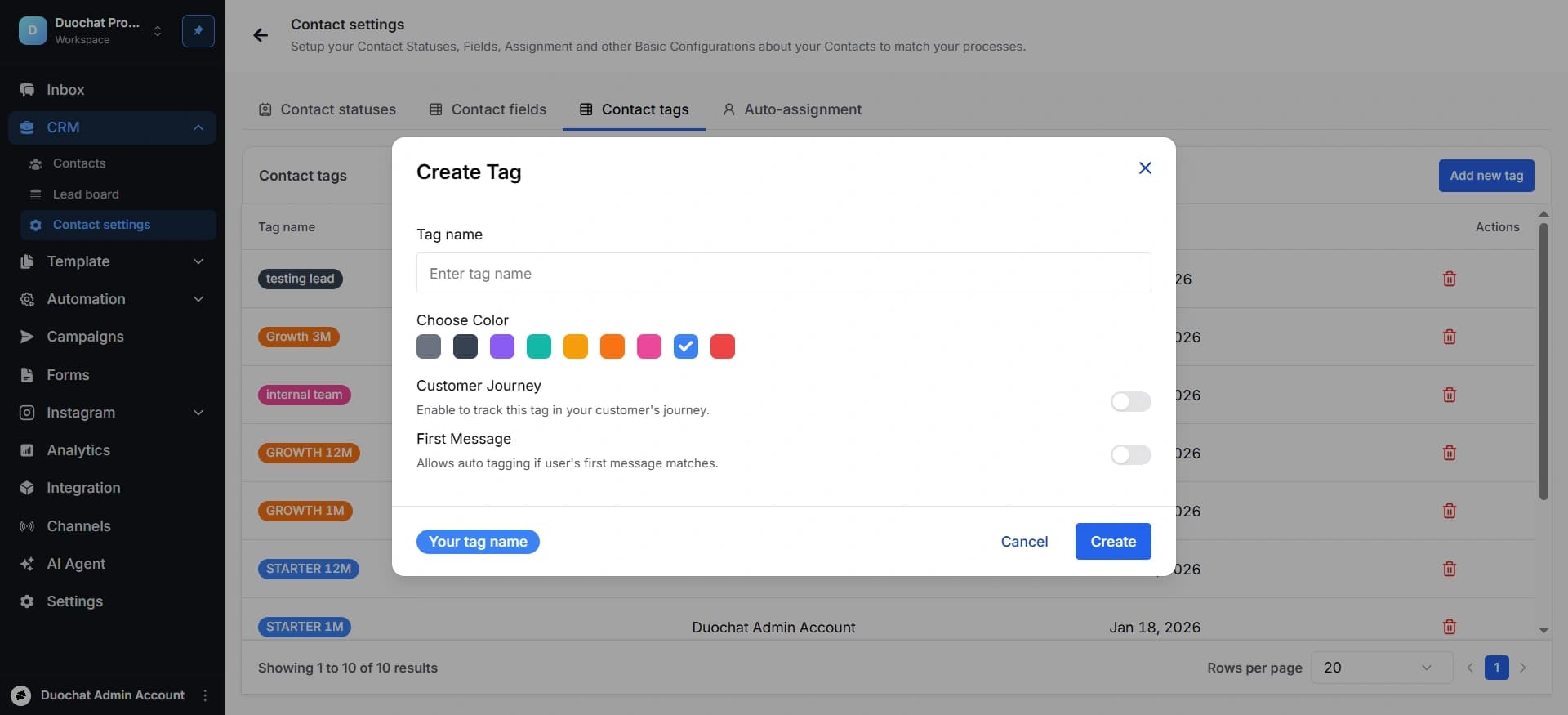
Create Tags
Create a new tag by clicking to the button “Add new button” on the right top corner.
Auto-Assignment
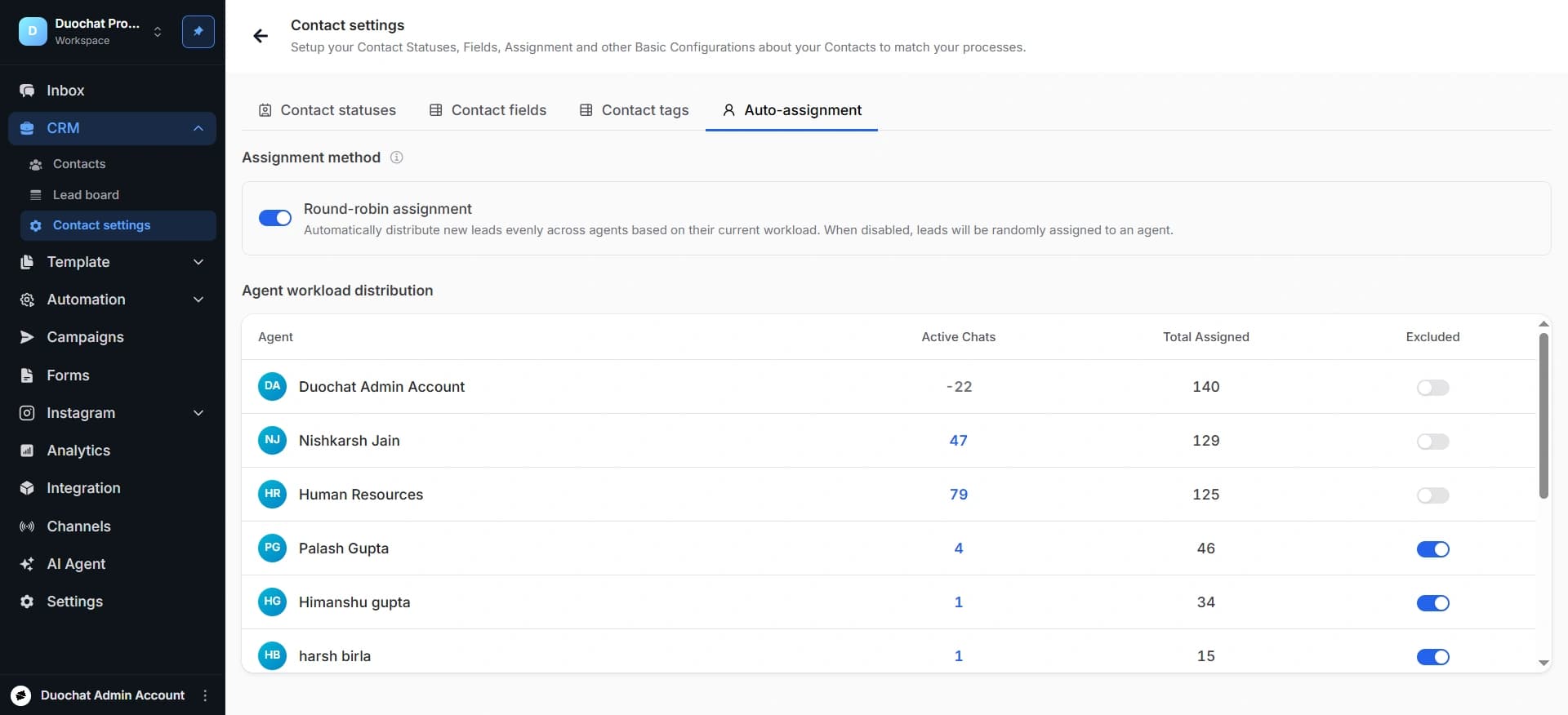
Enable the Round-robin assignment toggle. The system will start automatically assigning leads to available agents.
This section allows automatic assignment of incoming leads to team members based on predefined rules.
When a new lead is received, the system assigns it to agents one by one in rotation.
On this page