API Tokens
Overview
The API Tokens section allows you to securely connect duochat with external applications such as CRMs, automation tools, internal dashboards, or custom backend services.
API tokens act as secure keys that authenticate requests when interacting with duochat's APIs. This section is designed for developers and technical users to generate and manage personal access tokens in a simple and secure way.
Token List
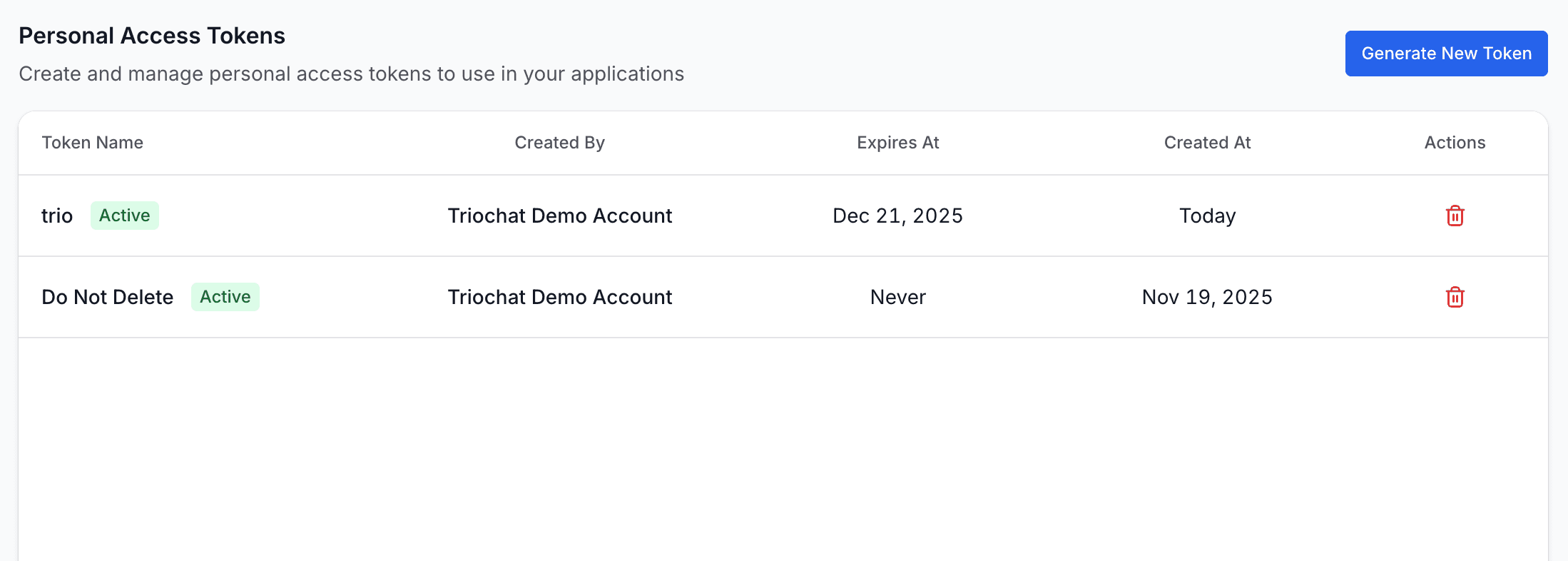
The API Tokens page displays a list of all tokens created in your workspace.
For each token, you can view the following details:
- Token Name – A label identifying where the token is being used
- Created By – The user who generated the token
- Expires At – How long the token remains valid
- Created At – The date and time the token was created
Each token also includes a Delete action, allowing you to instantly revoke access if a token is no longer required or has been compromised.
This provides full visibility and control over all integrations connected to your workspace.
Generating a New Token
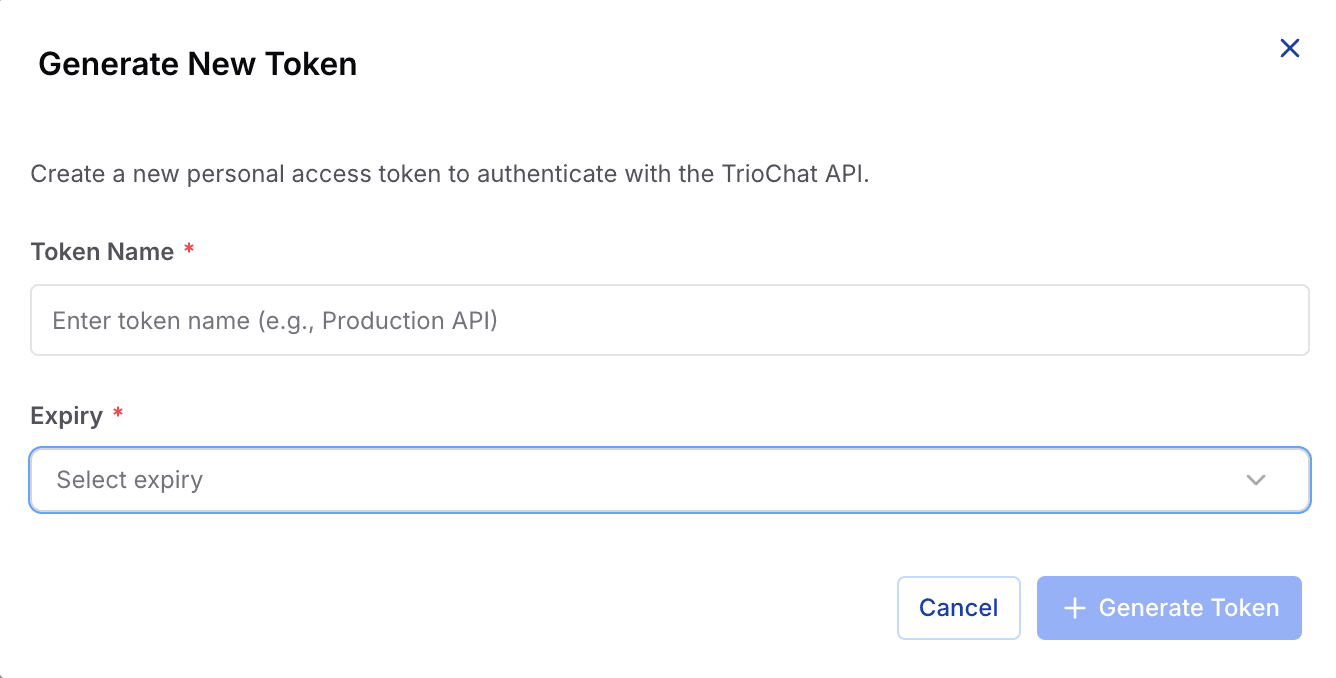
To create a new API token, click the Generate Token button.
This opens the token creation panel where you must provide the following details.
Token Name
Enter a meaningful label to identify the purpose of the token.
Examples include:
- CRM Integration
- Production Server
- Zapier Automation
- Marketing Dashboard Sync
Clear naming makes it easier to track which integration is using each token.
Expiry Duration
Choose how long the token should remain valid. Common options include:
- 7 Days
- 30 Days
- 90 Days
- Never Expires
Setting an expiry duration improves security by limiting long-term access.
Create Token
Once you click Create, duochat generates a new access token.
Important:
The token value is displayed only once.
Make sure to copy and store it securely before closing the popup.
For security reasons, duochat will never display the token again.
Deleting a Token
If an integration is no longer needed or if you suspect unauthorized activity, you can delete a token at any time using the Delete action.
Deleting a token:
- Immediately revokes API access
- Disconnects any systems relying on that token
- Helps maintain a clean and secure integration setup
This ensures that only active and intentional integrations have access to your workspace APIs.
On this page