Lead Board
Lead Board
The Lead Board is a visual CRM workspace designed to help you efficiently manage and track leads generated through the WhatsApp Business API. It allows your team to organize conversations into structured stages, monitor progress, and take timely actions—all in one place.
With a drag-and-drop interface, the Lead Board ensures seamless lead movement across different stages of your sales or support lifecycle.
How to Create and Configure a Lead Board
Follow the steps below to set up your Lead Board:
1. Navigate to Lead Board
● Go to CRM from the left navigation panel.
● Click on the Lead Board.
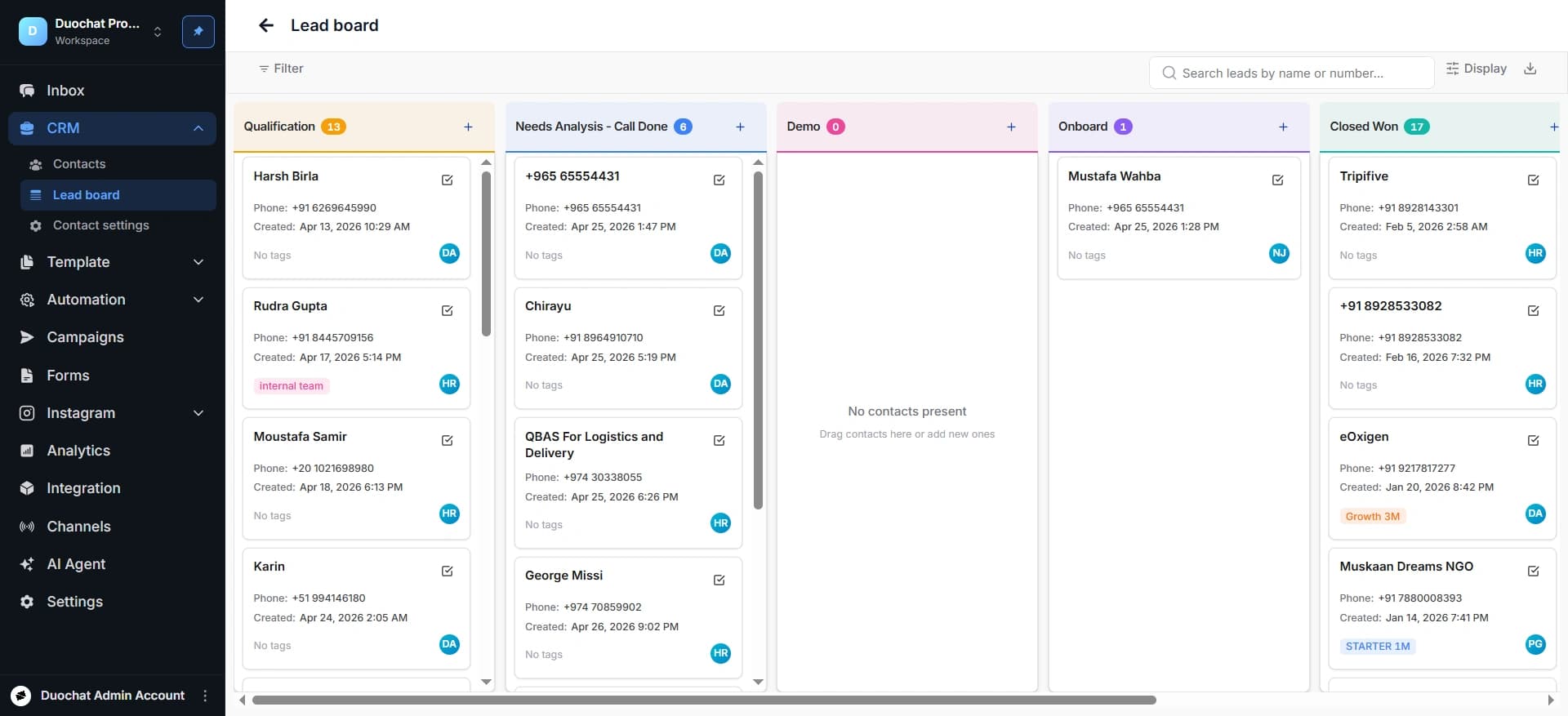
2. Configure Display Settings
● Click on the “Display” button located at the top-right corner.
● This will open the Lifecycle Stages configuration panel.
3. Define Lifecycle Stages
● Add and name the stages based on your workflow (e.g., New Lead, Contacted, Qualified, Converted).
● These stages represent the journey of a lead from initial contact to final conversion.
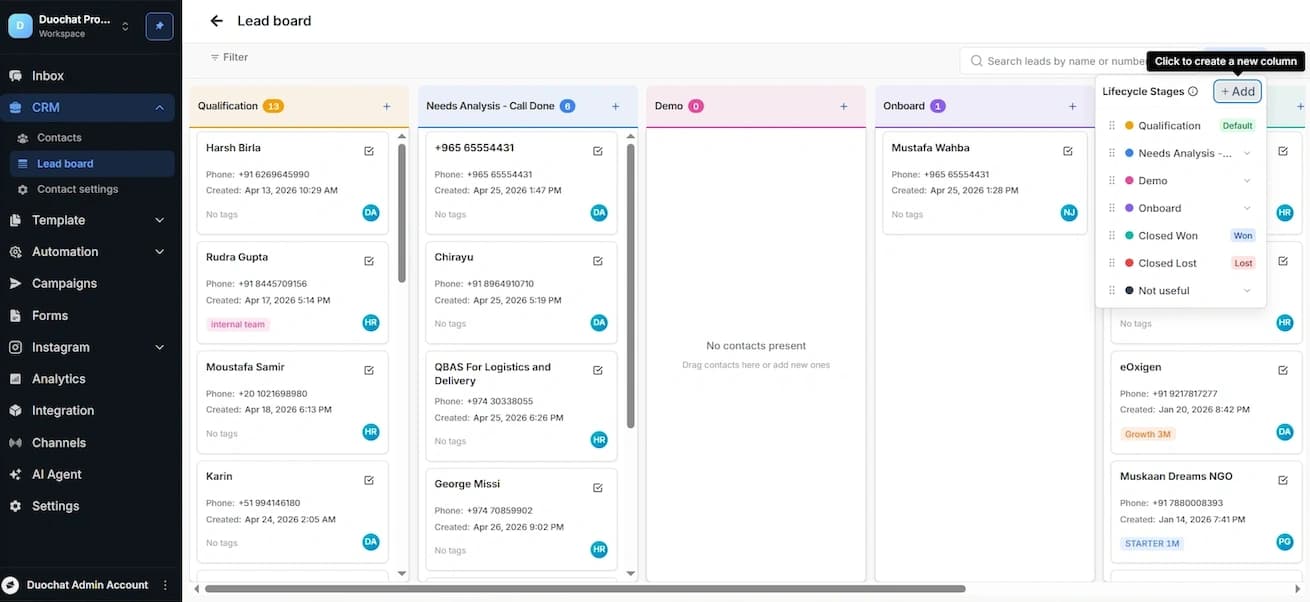
4. Reorder Stages
● Drag and drop the stages to arrange them in your preferred sequence.
● The order should reflect your actual sales or engagement process.
Best Practices
● Keep stage names simple and action-oriented.
● Avoid adding too many stages to maintain clarity.
● Regularly review and update stages based on your workflow changes.
On this page